
Begin at an R2 reservation screen.
-
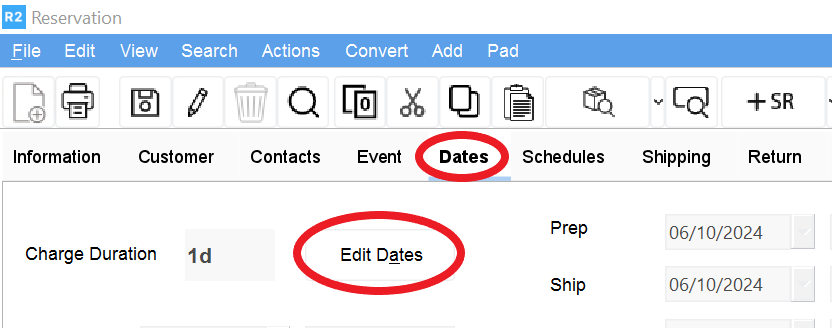
Click on the Dates tab.
-
Click on the Edit Dates button.
-
Click on the Add button next to the Dark Days area:
-
Enter a Charge Start Date.
-
Enter a Charge End Date.
-
Enter a % of Amount.
-
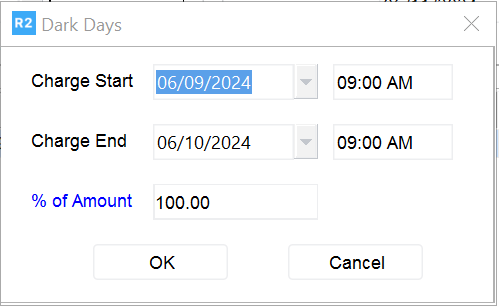
Between the dates entered, R2 will discount the regular billing rate of the order items by the amount entered. In the example above, the invoice will be discounted by 100% for all items between the dates of 29 and 30 May 2015.