
This feature introduces validation checks for LOC billing orders to prevent generating incorrect invoices when discounts are modified after posting.
It ensures consistency between order and invoice values by validating discount integrity before allowing further invoice generation.
Example:
-
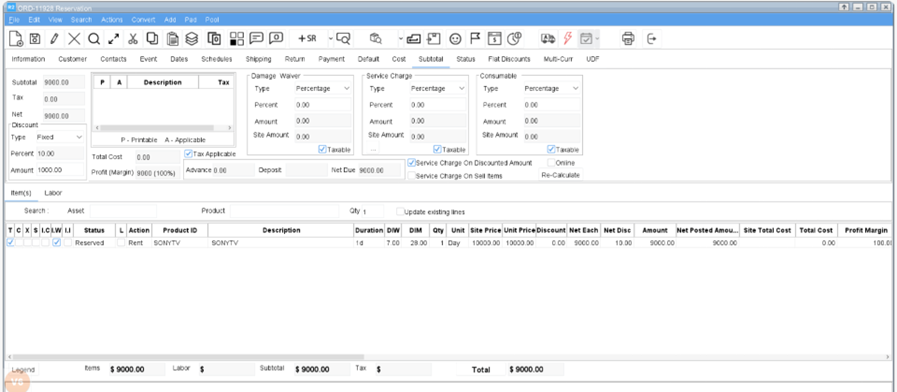
Create an order with 10% header discount in the Subtotal tab.
-
Add the item (1 qty × 10,000 each).
-
After discount → Order amount = 9,000.
-
-
Set Pay-At as Periodic Billing with LOC ALL billing terms.
-
Generate and post the invoice for 9,000.
-
Change the header discount from 10% to 5%.
-
Generate the invoice again.
-
The system stops invoice generation and displays a validation error since the discount is changed.
-
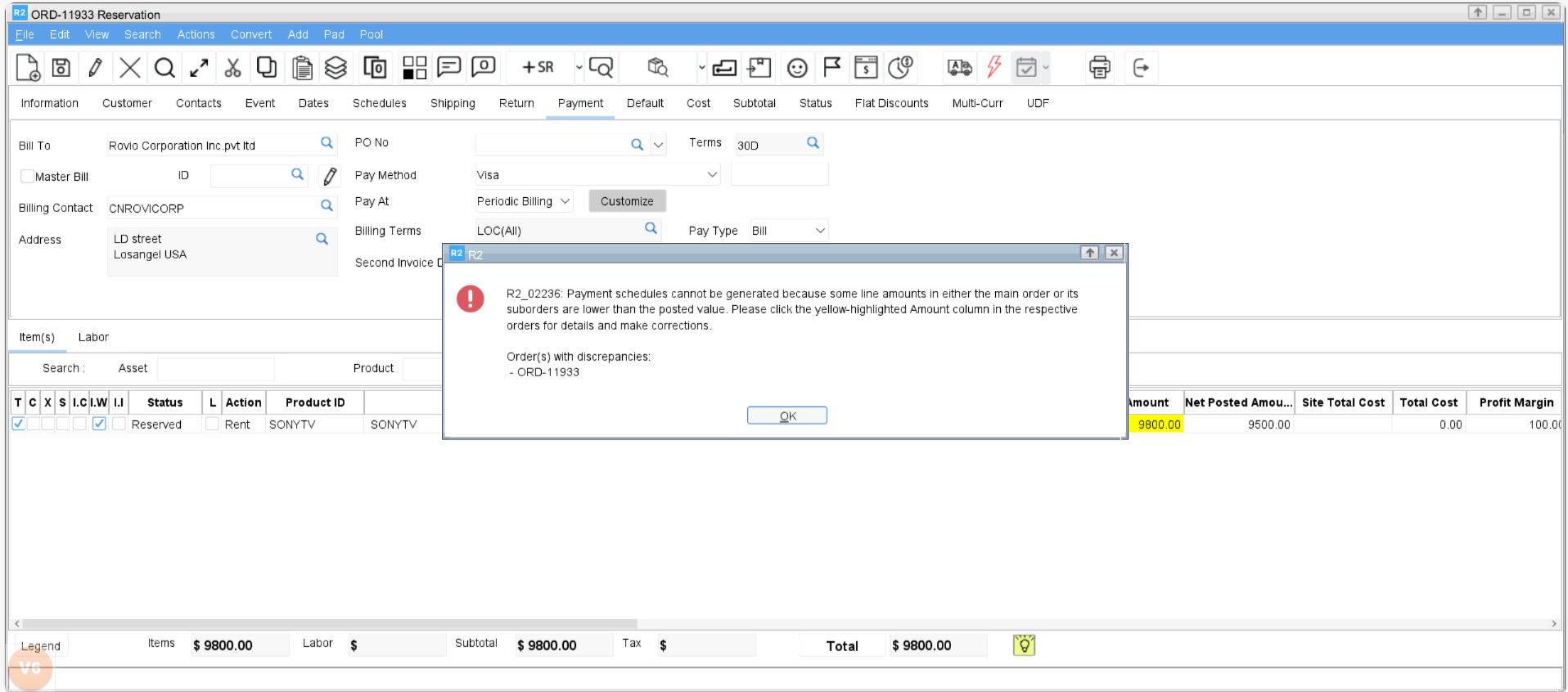
Also, during payment schedule generation, if order has line amounts lower than their posted amounts, the system throws error.
-
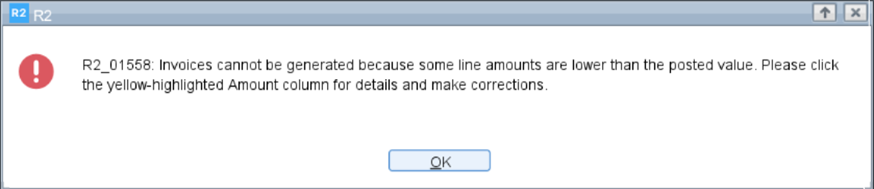
Validations
The following two validations are enforced for LOC billing orders during invoice generation:
-
Net Discounted Amount Validation
-
System checks whether the line total after discount (Amount column) is less than the posted net discounted amount (Net Posted Amount column) — the value used in the previously posted invoice.
-
If violated, invoice generation is stopped.
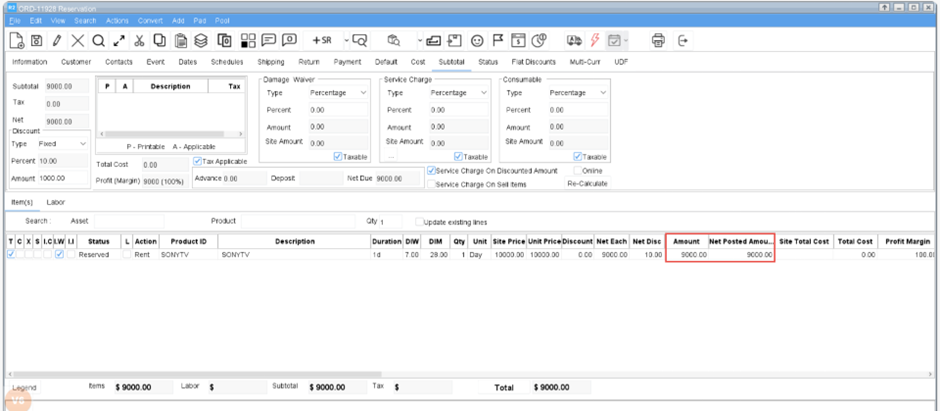
The system ensures that the posted discount amount remains the minimum allowable discount for that order line.
-
Net Discount Amount Validation
-
System checks whether the current net discount amount (absolute discount applied) is less than the posted net discount amount (value from previously posted invoice).
-
If violated, invoice generation is stopped.
Visual Indications
When a validation fails:
-
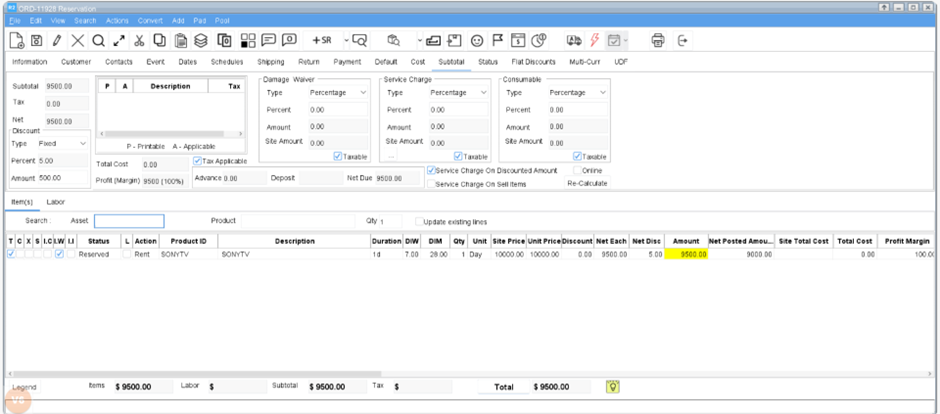
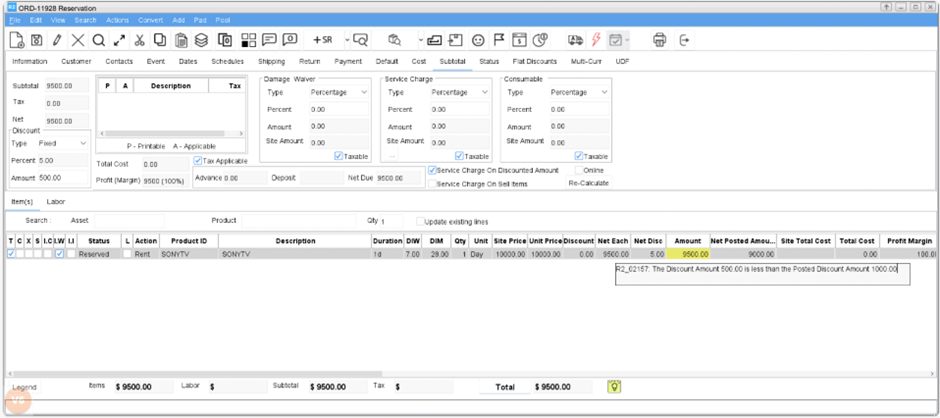
A clear error message is displayed, indicating the discount inconsistency.
-
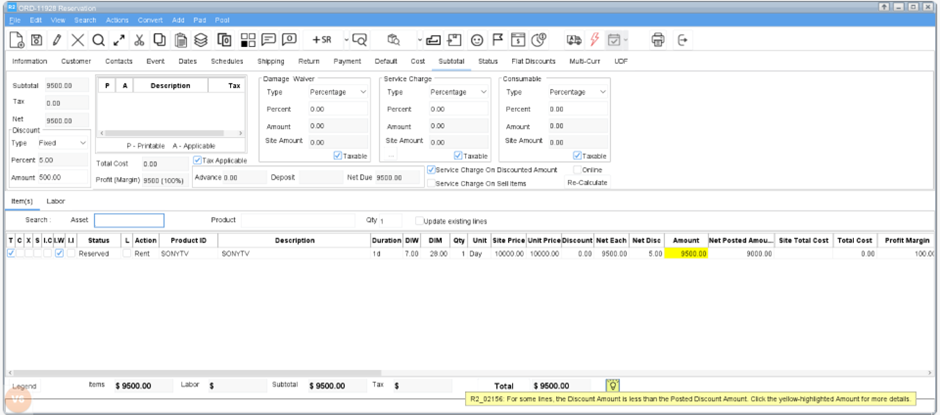
Affected order line amount is highlighted in yellow. Click on it to view the details.
-
A yellow bulb icon appears near the Order Total; hover over it to view the reason.
Applicability
-
These validations apply to all types of discount modifications, including:
a) Changing header-level discount
b) Changing line-level discount
c) Changing flat discount
d) Marking an item line as Non-Discountable
e) Changing subtotal or section total discounts -
Main and Sub Orders:
These validations work the same for both Main and Sub Orders.
If any Main or Sub Order has line amounts below their posted amounts, during payment schedule generation, the system displays a message listing all affected orders where the line totals fall below posted values.
When the order value legitimately increases (e.g., due to duration or price changes), the system automatically generates an additional invoice for the difference amount.