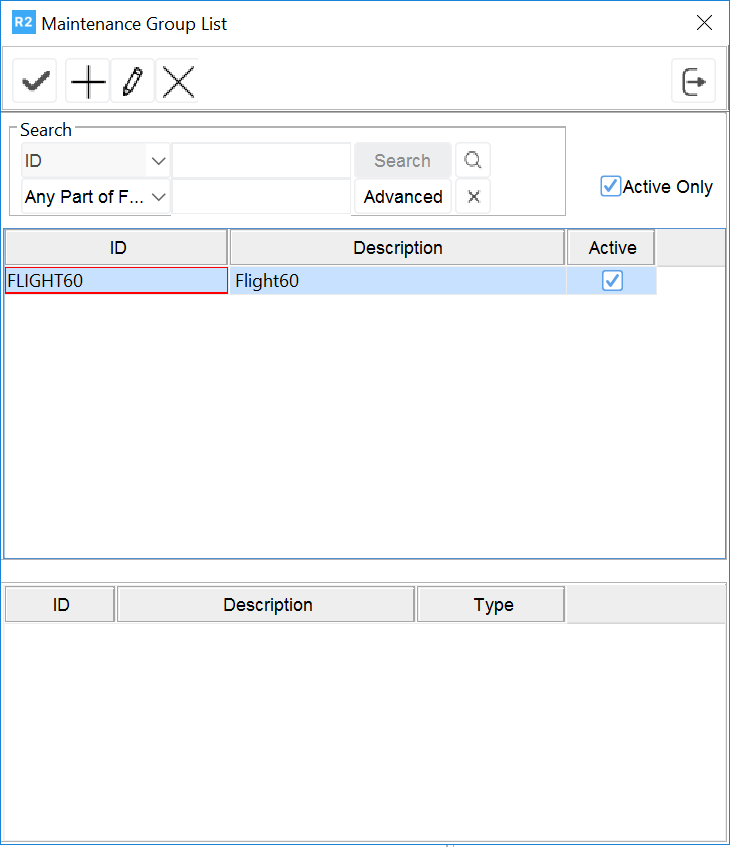
Click on the magnifying glass 
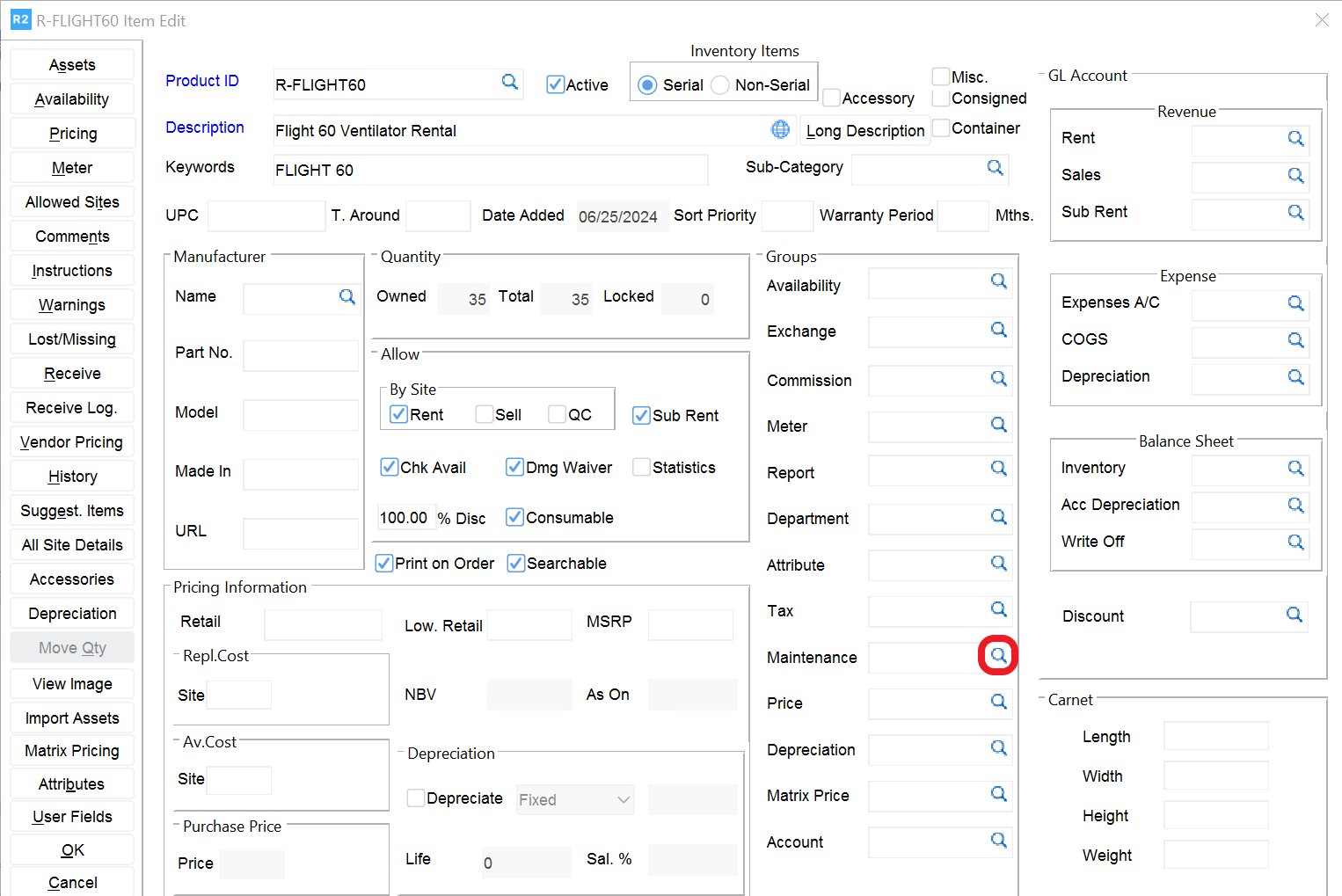
Select a Maintenance Group shown on the top pane (by double clicking on the Maintenance Group).
Notes:
-
The bottom pane shows the schedules associated with the maintenance group.
-
As shown below, multiple schedules can be linked to a single maintenance group.