Reference No: AHI-8
Version No: 06.01.02-00
This enhancement is to add two new fields ‘Fulfillment Date’ and 'Exchange Rate Date' as UDFs in the invoices entity.
-
When the user is adding ‘Fulfillment Date’ and 'Exchange Rate Date' as UDFs, User must define the exact alphabets as ‘Fulfillment Date’ and 'Exchange Rate Date’.
-
These two new UDFs available for all types of Invoice as mentioned below:
-
Invoice Credit Memo
-
Debit Memo
-
Master Bill
-
Summary Invoice (includes sub types: Invoice/Credit/Debit)
-
LR-Invoice
-
Deposit Invoice
-
Standalone Invoice
Fulfillment Date and Exchange Rate Date UDFs creation
-
Launch the R2 application and then click the Maintenance module.
-
Click User Fields Setup.
-
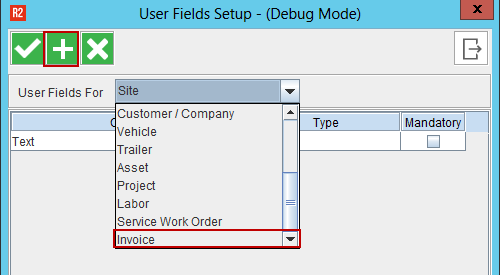
Select the Invoice from the list as shown below and then click the Add icon.
-
Enter the new UDF details and then Click OK button.
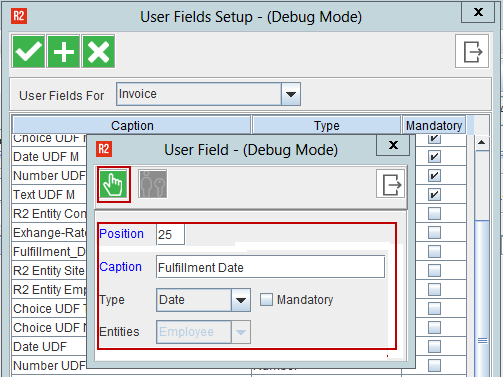
The added UDFs displays in the User Fields icon in invoicing entity.
Pre-requisites:
An Invoice must be generated for an order. The same procedure to be followed to add the other UDF (Exchange Rate Date).
Sample Workflow:
-
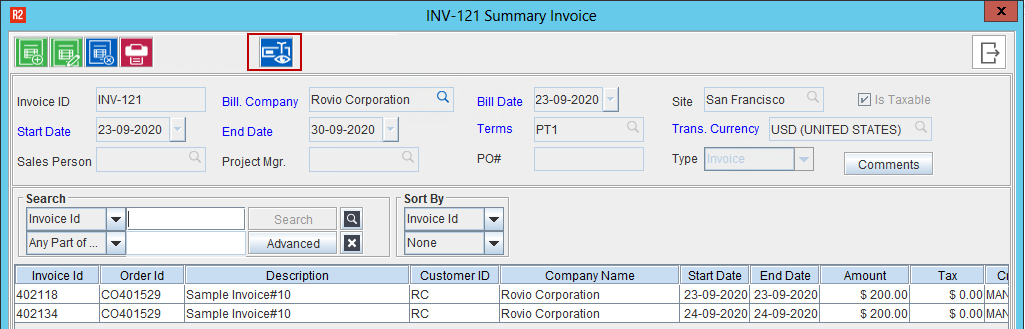
Go to Invoicing Module and create any type of Invoice (Summary Invoice created to show the sample workflow).
-
Click User Fields icon as shown below.
-
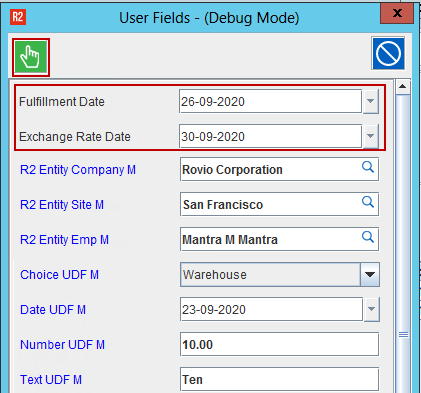
Enter the values for ‘Fulfillment Date’ and ‘Exchange Rate Date’ UDFs. Then, Click OK button.
Ensure to fill in all the mandatory UDFs.
-
System doesn't allow the user to edit the Summary Invoice once it is posted.
-
System doesn't allow the user to modify the Summary Invoice UDFs values once the Summary Invoices are posted.
-
System doesn’t allow the user to modify UDFs definitions, once the data is entered in the UDFs at least in one Summary invoice.
-
UDFs will be removed on regenerating Invoices.
-
Once the UDFs are created, the user can view and enter the values in the following places.
-
Accounts -- > View -- > Invoices
-
Invoicing -- > Search Invoices
-
Order -- > View Invoices
-
AR Invoice Batch -- > For selected invoices added to the batch
-
Accounts -- > View -- > Summary Invoices
-
Summary Invoice/Summary Credit/Summary Debit -- >Edit
-
Standalone Invoice Edit
-
Invoicing-- > View-- > Search Invoices-- > Edit
-
Invoice Search -- > Credit Memo Edit
-
Invoice Search -- > Debit Memo Edit
CR Memo/DB Memo carries the UDFs values from parent invoices
Pre-requisites:
Create Summary Invoice/Invoice and entre the UDF values of 'Fulfillment Date' and 'Exchange Rate Date' and the post the same.
Sample Workflow:
-
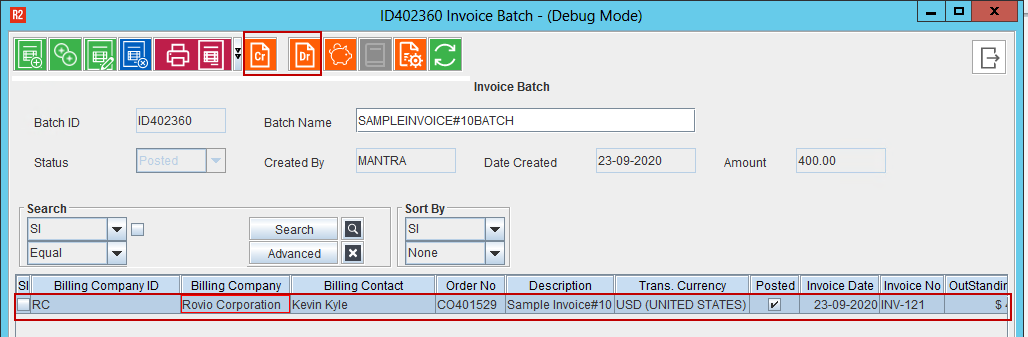
From the Invoicing screen, create a Credit Memo/Debit Memo for the Invoice.
-
Select the Invoice line and create Credit/Debit Memo.
-
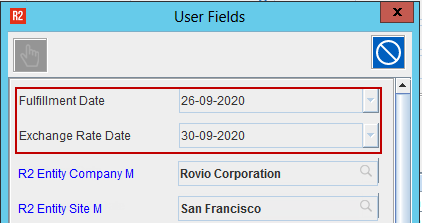
Click User Fields icon and view the ‘Fulfillment Date’ and ‘Exchange Rate Date’.
-
UDFs are carried from the Parent Invoice UDFs. Since the invoice is posted, the fields will be in non-edit able mode.
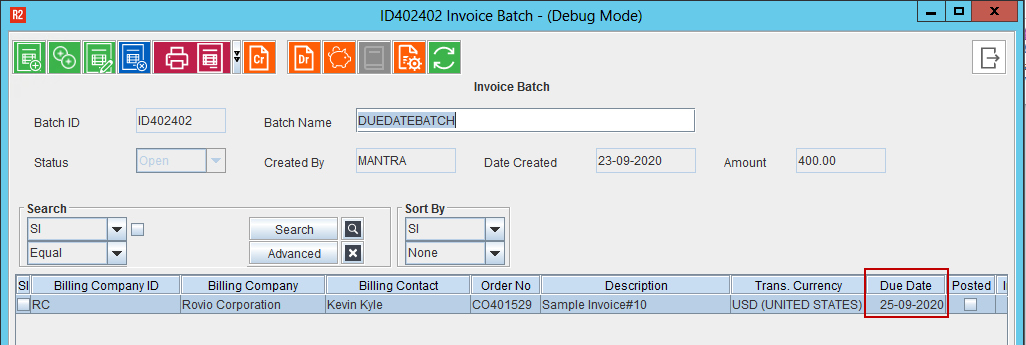
New Column ‘Due Date’ is added in the AR Batch edit Grid
In this enhancement, User will be able to see the Due Date in the AR Batch Edit Grid.