
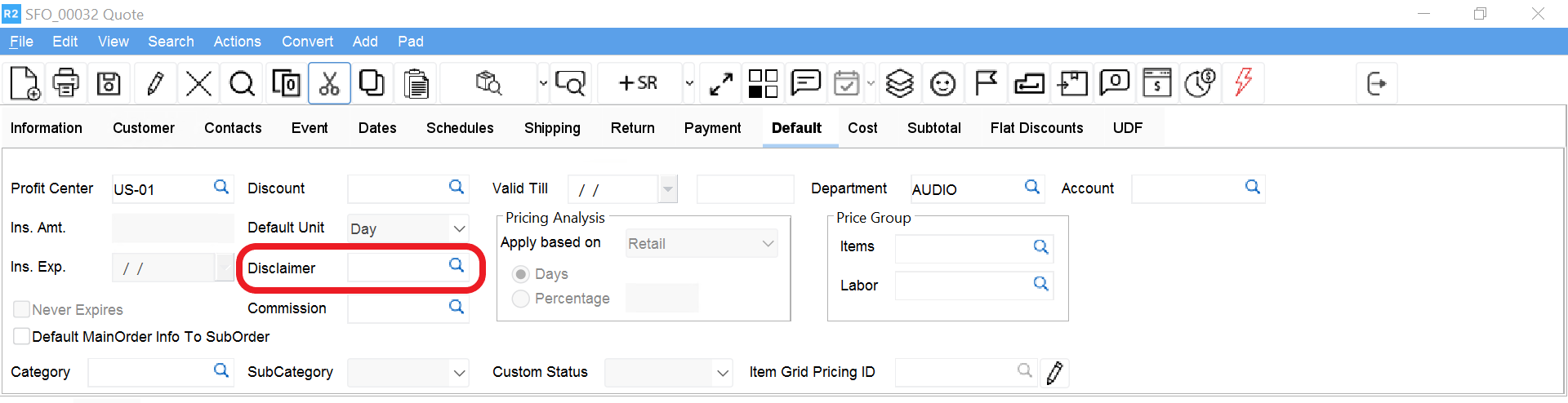
Disclaimers are legal statements usually attached to the end of Quotes. In R2 disclaimers are stored as text documents is the Program Files/ Mantra/Disclaimers subdirectory on your hard drive. Use this field to attach a disclaimer to an order (so that it prints with the order) or to create new disclaimers.
To attach a Disclaimer
Click on the more button next to the Disclaimer field.
The Disclaimer dialog appears listing all disclaimers in the data- base.
Double-click on the disclaimer you wish to add to the order.
The Disclaimer dialog closes and returns you to the Order window. The disclaimer ID now appears in the Disclaimer field.
Valid Till
The Valid Till field determines the time and date when the order (Quote, Reservation or Hold) becomes invalid.
To set a Valid Till date and time Click in the Valid Till date field.
The insertion appears at the left edge of the Valid Till date field.
Enter a date in mm/dd/yyyy format.
Once you have entered characters, you can also highlight the month, day or year and then use the up and down arrow buttons to increment the date. The date you enter here is when the order becomes invalid.
Click in the Valid Till time field.
This field is located directly below the date field.
Enter a time in the format hh:mm:ss.
You can also highlight the hours, minutes or seconds and then clicking on the up and down arrows to increment the time. This is the time of day when the order becomes invalid.