
Recalculate Online
R2 shows you order total updates each time a change is made as long as the recalculate online option remains on, in its default setting. However, to maintain relatively quick system speed when working with larger orders, you may wish de-activate the online option to prevent R2 from automatically recalculating totals.
To turn the online option off
Within the Order window, click on the Sub Total tab.
Click on the online checkbox.
The check is removed from the box indicating that the option is deactivated
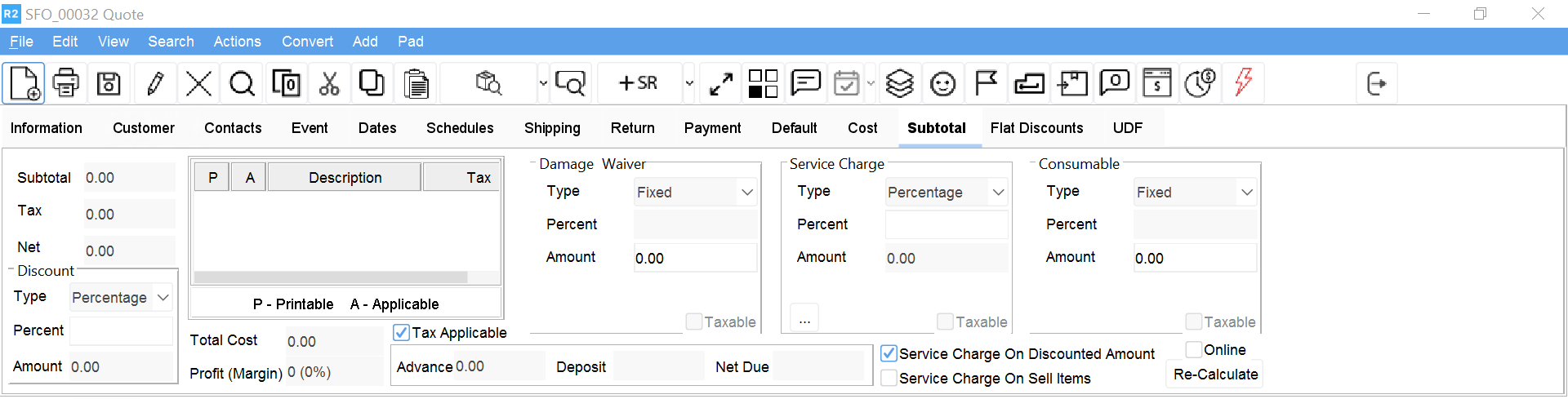
NOTE: Click on the Re-calculate button to view totals while the online option is off.
Explanation of how to set Gray Days, Dark Days etc.
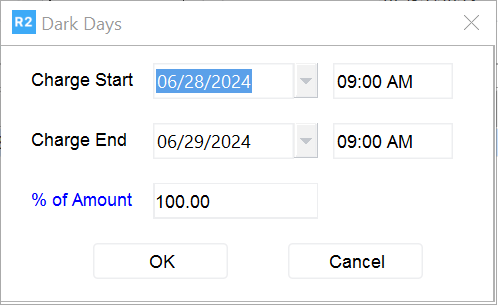
In R2 you can set Dark and Gray Days for your clients. From the Quote or Reservation screen, click Dates > Edit Dates, add Dark Days and then input the appropriate discount.