Reference No: AHI-8
Version No: 06.01.02-00
Details:
This enhancement is to add two new fields ‘Fulfillment Date’ and 'Exchange Rate Date' as UDFs in the invoices entity.
-
When the user is adding ‘Fulfillment Date’ and 'Exchange Rate Date' as UDFs, User must define the exact alphabets as ‘Fulfillment Date’ and 'Exchange Rate Date’.
-
These two new UDFs available for all types of Invoice as mentioned below:
-
Invoice Credit Memo
-
Debit Memo
-
Master Bill
-
Summary Invoice (includes sub types: Invoice/Credit/Debit)
-
LR-Invoice
-
Deposit Invoice
-
Standalone Invoice
Fulfillment Date and Exchange Rate Date UDFs creation
-
Launch the R2 application and then click the Maintenance module.
-
Click User Fields Setup.
-
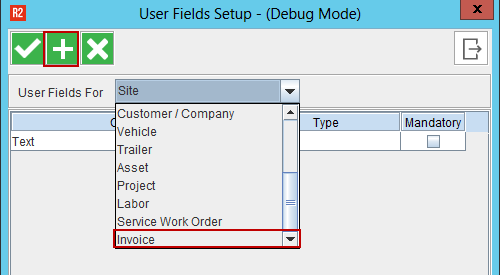
Select the Invoice from the list as shown below and then click the Add icon.
-
Enter the new UDF details and then Click OK button.
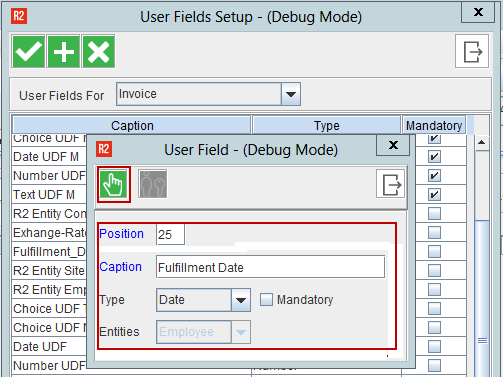
The added UDFs displays in the User Fields icon in invoicing entity.
Pre-requisites:
An Invoice must be generated for an order. The same procedure to be followed to add the other UDF (Exchange Rate Date).
Sample Workflow:
-
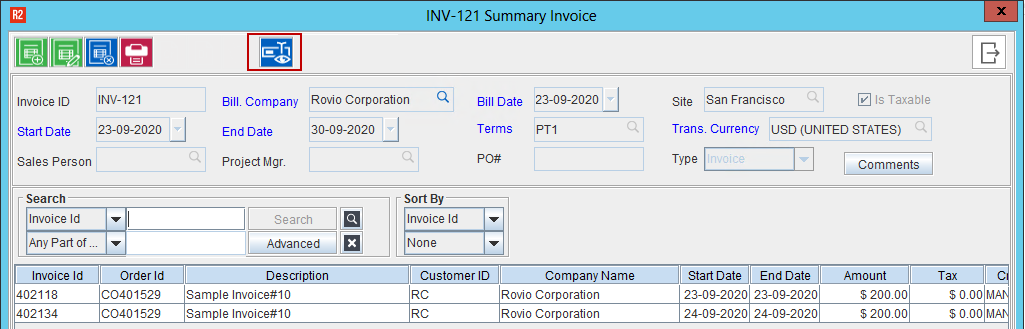
Go to Invoicing Module and create any type of Invoice (Summary Invoice created to show the sample workflow).
-
Click User Fields icon as shown below.
-
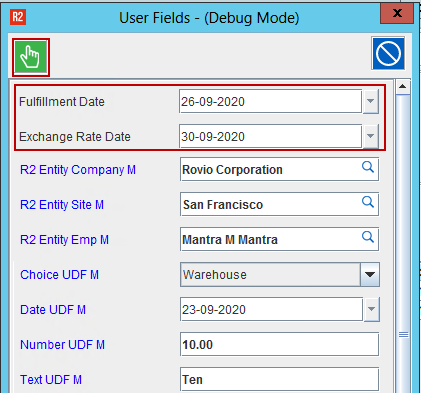
Enter the values for ‘Fulfillment Date’ and ‘Exchange Rate Date’ UDFs. Then, Click OK button.
Ensure to fill in all the mandatory UDFs.
-
System doesn't allow the user to edit the Summary Invoice once it is posted.
-
System doesn't allow the user to modify the Summary Invoice UDFs values once the Summary Invoices are posted.
-
System doesn’t allow the user to modify UDFs definitions, once the data is entered in the UDFs at least in one Summary invoice.
-
UDFs will be removed on regenerating Invoices.
-
Once the UDFs are created, the user can view and enter the values in the following places.
-
Accounts -- > View -- > Invoices
-
Invoicing -- > Search Invoices
-
Order -- > View Invoices
-
AR Invoice Batch -- > For selected invoices added to the batch
-
Accounts -- > View -- > Summary Invoices
-
Summary Invoice/Summary Credit/Summary Debit -- >Edit
-
Standalone Invoice Edit
-
Invoicing-- > View-- > Search Invoices-- > Edit
-
Invoice Search -- > Credit Memo Edit
-
Invoice Search -- > Debit Memo Edit
CR Memo/DB Memo carries the UDFs values from parent invoices
Pre-requisites:
Create Summary Invoice/Invoice and entre the UDF values of 'Fulfillment Date' and 'Exchange Rate Date' and the post the same.
Sample Workflow:
-
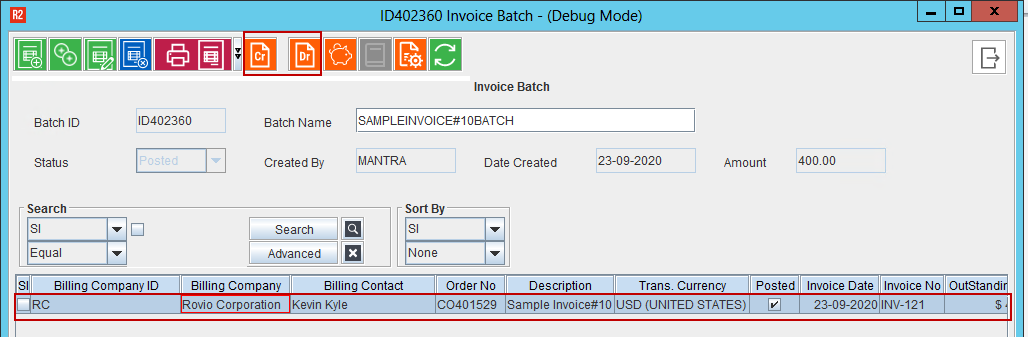
From the Invoicing screen, create a Credit Memo/Debit Memo for the Invoice.
-
Select the Invoice line and create Credit/Debit Memo.
-
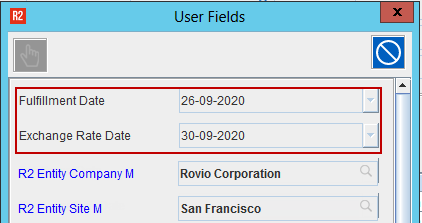
Click User Fields icon and view the ‘Fulfillment Date’ and ‘Exchange Rate Date’.
-
UDFs are carried from the Parent Invoice UDFs. Since the invoice is posted, the fields will be in non-edit able mode.
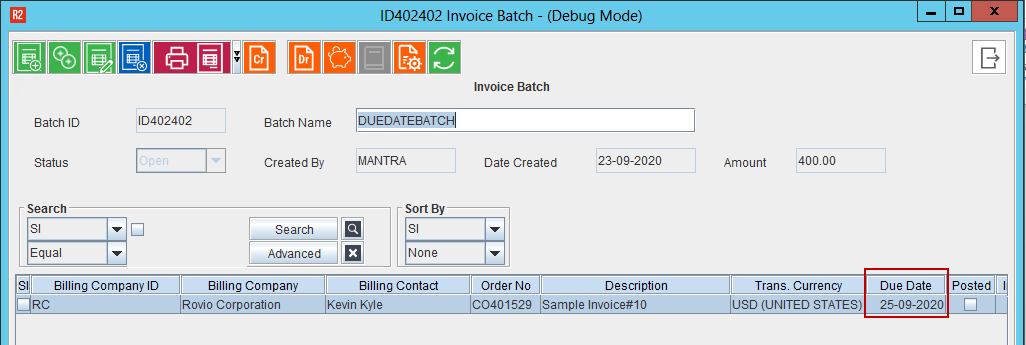
New Column ‘Due Date’ is added in the AR Batch edit Grid
Details:
In this enhancement, User will be able to see the Due Date in the AR Batch Edit Grid.