
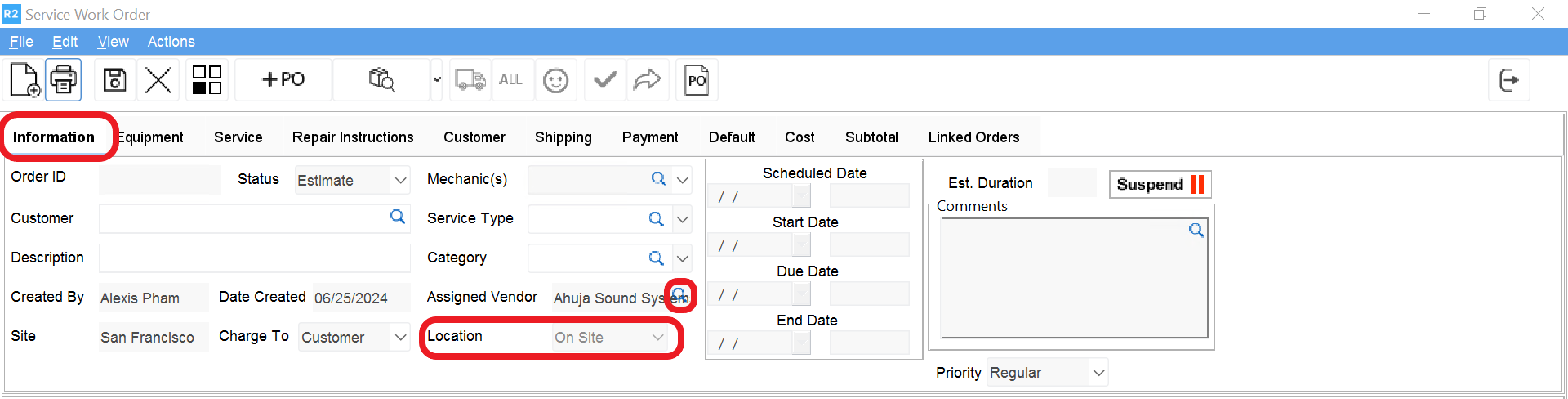
From the service work order screen, click on the Information tab, then on the Assigned Vendor to find and select the vendor. The Location will read “On Site”
If Miscellaneous Purchase Order can be created to indicate costs

From the service work order screen, click on the Information tab, then on the Assigned Vendor to find and select the vendor. The Location will read “On Site”
If Miscellaneous Purchase Order can be created to indicate costs