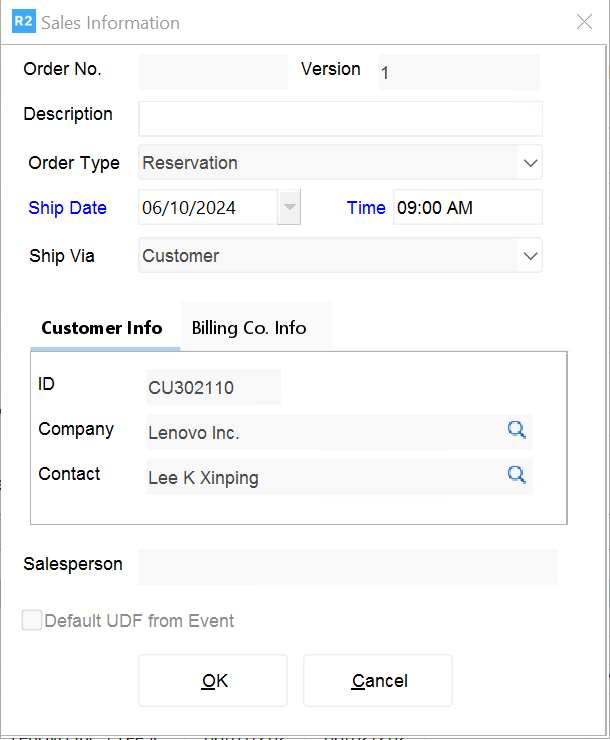
Create a new sales order by clicking on the Sale Order 
-
If you already had a customer selected on the Account screen, the new sale will reflect this customer information. You can also change that main and billing customer from the Order Information screen.
-
Enter the Ship Date, if different from today.
-
Enter a Description for the order.
-
Click on the OK button to proceed to the order.