
This enhancement introduces a configurable prompt for users (Salespersons or Account Managers) to choose between printing an Invoice, an Order, or selecting No action after performing a Happy Face action on an order with Length of Contract (LOC) billing terms.
Workflow
-
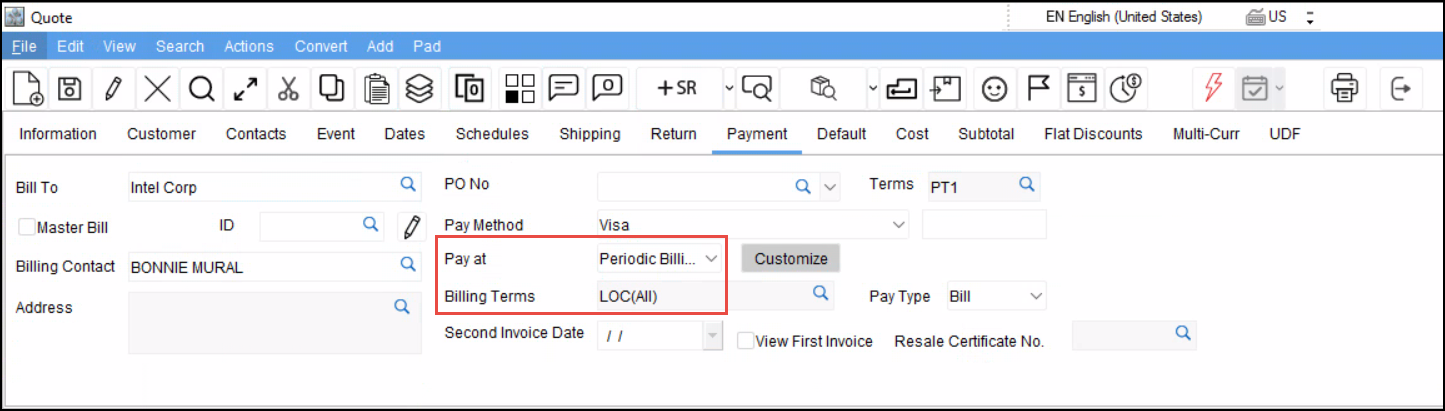
Create an Order with the Billing terms as ‘LOC(All)’
-
Click Happy Face(

-
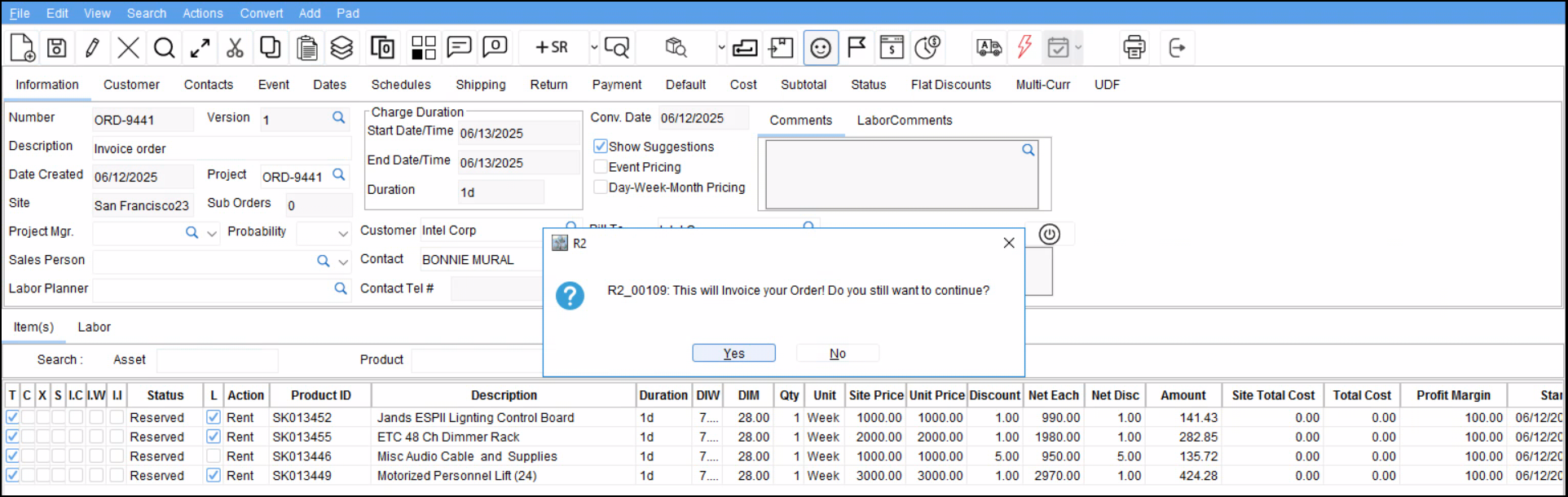
You will be prompted as follows:
-
Invoice generated prompt is shown, click Ok.
-
A new dialog is displayed as follows:
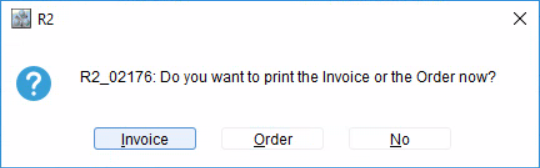
Each button will have a keyboard access key with underscore (_) displayed:
-
Alt + I for Invoice
-
Alt + O for Order
-
Alt + N for No
-
If you select Invoice
-
Launches the Print Form Options dialog with filter:
Type = Invoice. -
Print only the most recently generated/updated Regular Invoice (Type = Normal Invoice) from the current happy face operation.
-
First-time Happy Face: Print the first generated Regular Invoice.
-
Subsequent Happy Faces: Print the most recent new or updated Regular Invoice due to Order extension, New lines added
-
-
-
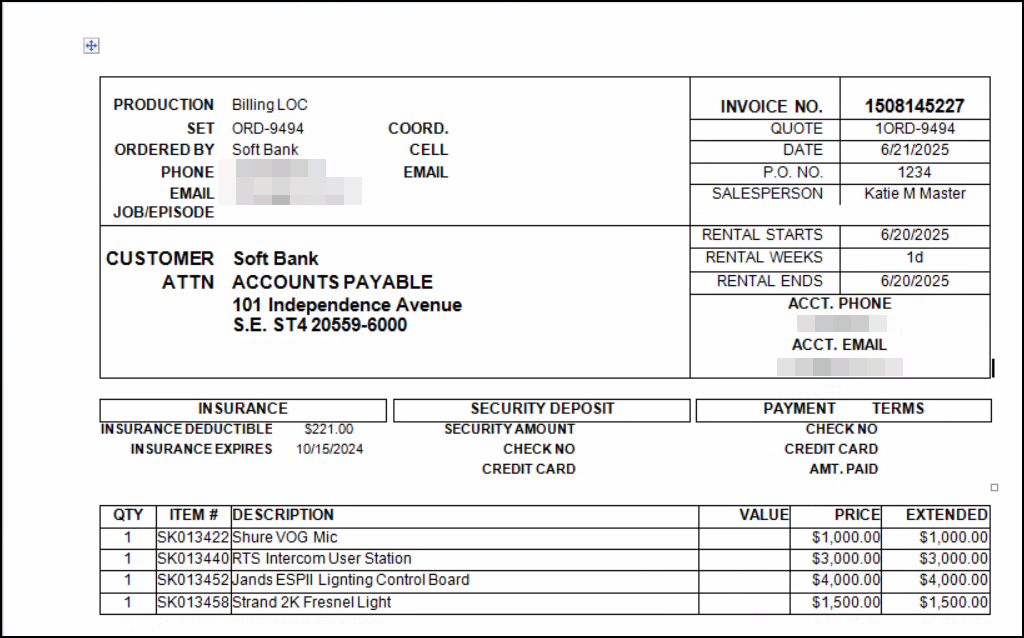
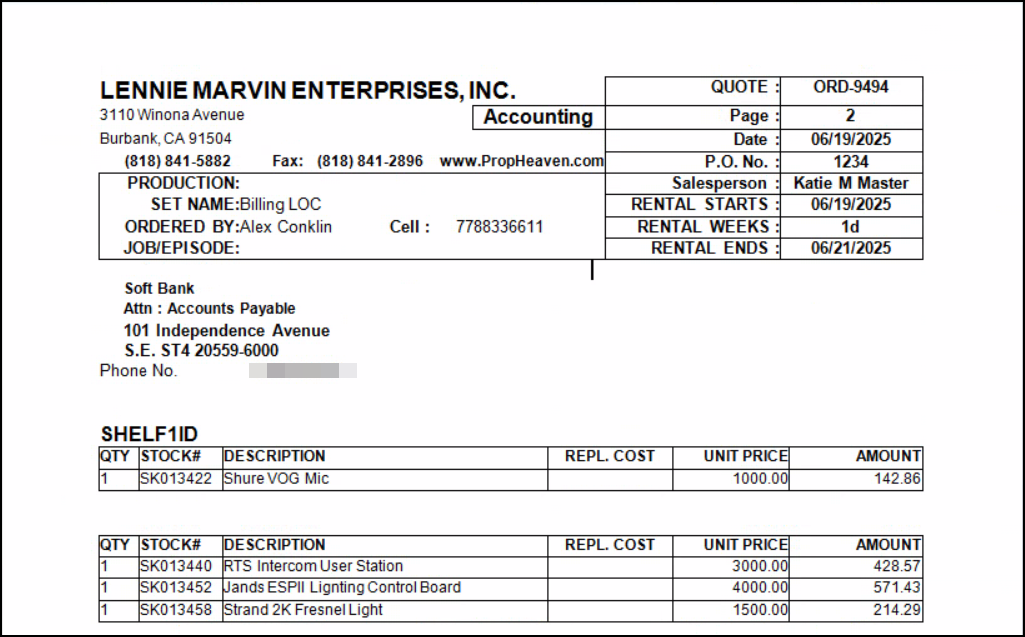
Print generated for Invoice.
-
If you select Order
-
Launch the Print Form Options dialog filtered to
Type = Order. -
Print the currently selected Order document.
-
-
Print generated for Order.
Scope & Limitations
Applies To:
-
Only LOC Billing Terms with
Pay At = Periodic Billing
Does Not Apply To:
-
Pay At = Rent/Return:-
Continues to prompt for Invoice print only.
-
-
Other billing types (No Charge, Weekly/Daily/Monthly Periodic, Custom):
-
Continue to prompt only for Order print.
-