
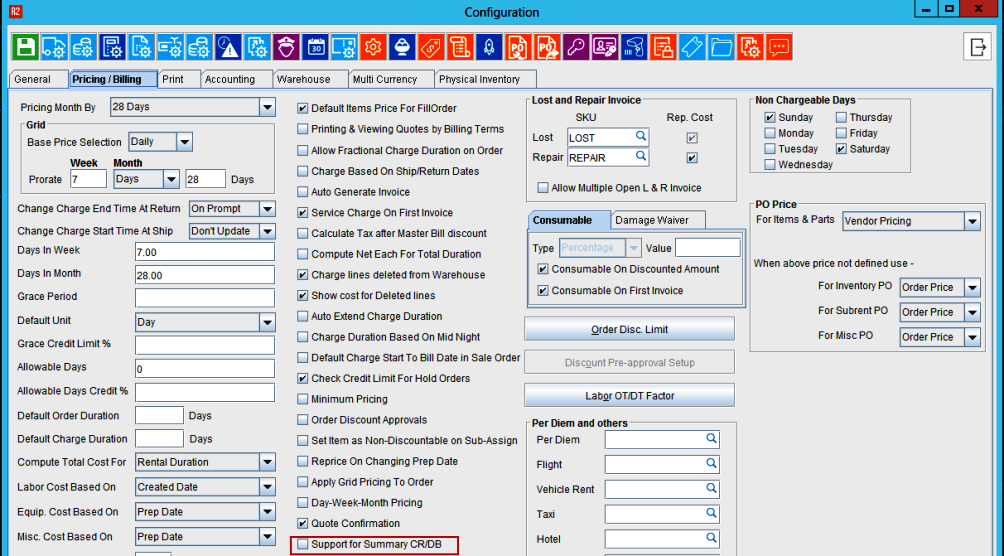
Support for Summary CR/DB’ field is added in the Configuration module under Pricing/Editing tab.
-
This flag will be false by default
-
‘Support for Summary CR/DB’ flag must be enabled
-
Select the ‘Support for Summary CR/DB’ field
-
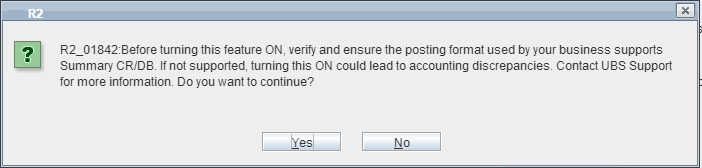
A pop-up displays as shown below with “Yes” and No” options
-
If ‘Support for Summary CR/DB’ flag is disabled, Type field in the summary Invoice will be disabled.
Hence, user will not be able to create Summary Credit/Summary Debit memo manually.