
While generating reports in R2, the user can select a currency based on which the report will be generated. In R2 standard reports, the option for selecting currency is provided in the respective report options dialog box and all custom reports will be generated based on the currency selected in the configuration module.
Standard Reports
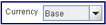
In R2 standard reports the user can select the report currency in the currency field from the report options based on which the report will be generated. The user can set the report currency as either Base currency, Site Currency or Transaction Currency.
Multi-Currency Supported Reports
|
Category |
Report |
|
Sales |
Order Summary |
|
Open Quotes |
|
|
Monthly Forecast |
|
|
Order in Signoff |
|
|
Lost Quotes |
|
|
Advance Payment |
|
|
Rental Revenue by Region |
|
|
Order Analysis |
|
|
Client - Follow UP |
|
|
Order Detail |
|
|
Invoice |
Posted Invoice Detail |
|
Posted Invoice Summary |
|
|
Un posted Invoice |
|
|
Tax Detail |
|
|
Tax Summary |
|
|
Warehouse |
Sub-rented Inventory |
|
Revenue Forecast |
Office Forecast |
|
Account Manager Forecast |
|
|
All Venues Forecast |
|
|
Individual Venue Forecast |
|
|
Inventory |
Asset History |
|
Customer |
Customer Analysis |
R2 Custom Reports
To generate custom reports based on a currency, the user has to preset the desired report currency in the field "Generate Reports based on Currency" which is present in the Multi-Currency Tab of configuration settings.
For more details on Multi-Currency feature in R2 click here.