
Reference No: 28928
Details
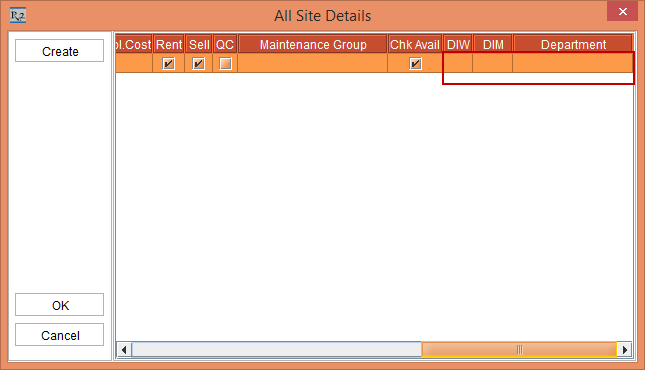
In the Item/Package/Kit All Sites Details section added 3 new columns are DIW, DIM and Department.
The details are explained in the sample workflow given below:
Sample Workflow
Scenario
-
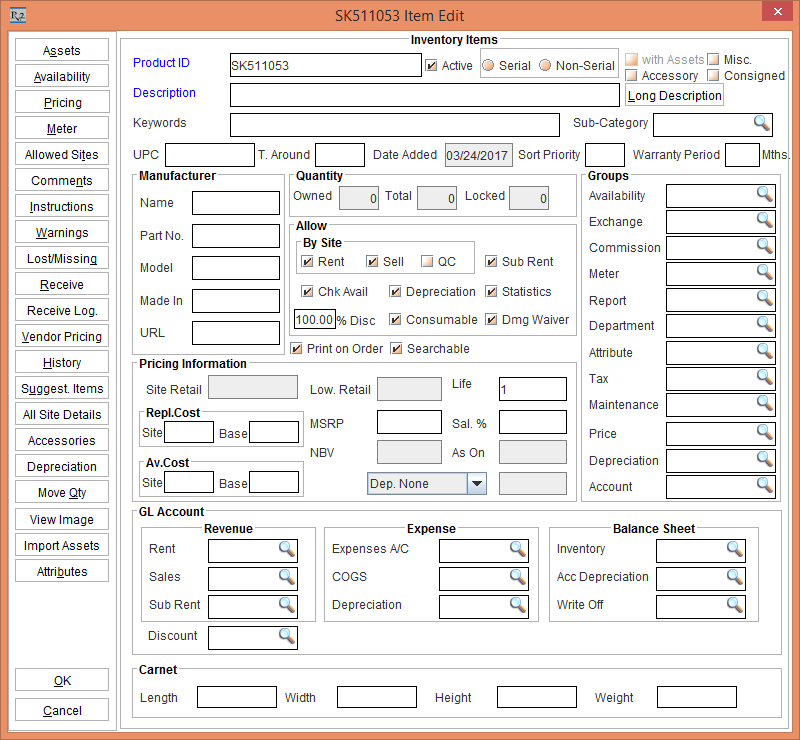
Select the Maintenance module > Item tab > New button. The following window appears as shown in Figure 1.0.
-
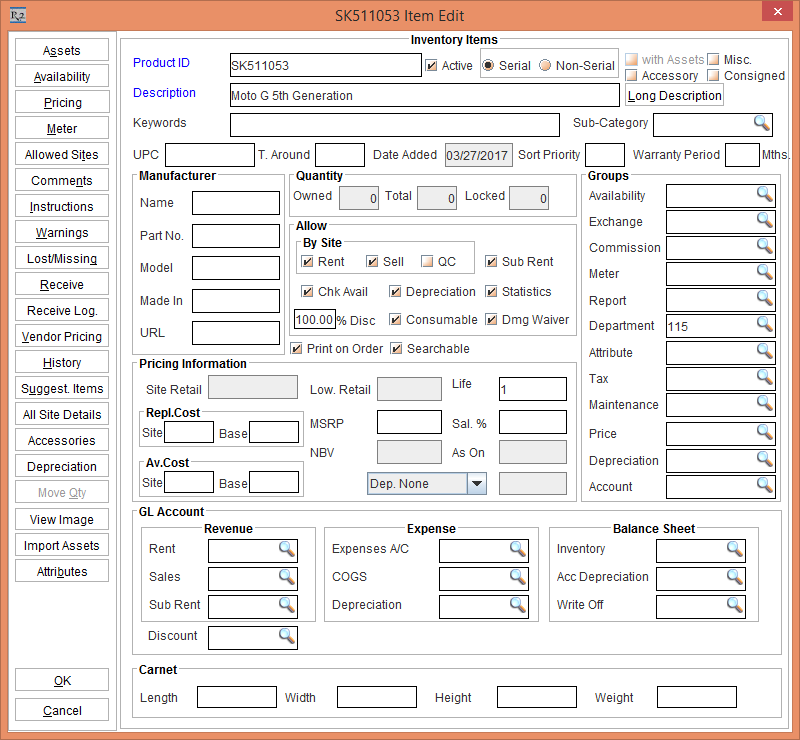
Enter the Description > select between Serial or Non-Serial option > select the Department radio button. As shown in Figure 2.0.
-
Click the All Site Details button. All Site Details window appears as shown in Figure 3.0.
-
DIW and DIM value for a Item for a particular site can be defined here.
-
Department can be set for a product for a particular Site here.
Points to Note:
-
When you add an Item to an Order, the DIW and DIM for the order Item line will be pulled from All Site Details defined for the product for the Order Site. When DIW and DIM is not defined in All Site Details, it will pull the DIW and DIM from Item’s Price Group, if defined else it will pull DIW and DIM from the Order header.
-
When you add an Item to an Order, the Department defined for Item in ‘All Site Details’ for the Order site will be pulled to the Order Item line. When Department is not defined in ‘All Site Details, it will pull the Department defined for the Product in Item edit > Groups > Department.
-
In Accounts module > Item Search window, if search by Department for AllSites / Site / Region / SubRegion then for that Item if AllSiteDetails Department is defined, then it will bring that Item record.
-
The Department set in the Order Item Line will be used for forming the ‘Internal Order #’ of the SAP-F2 AR Invoice export.