Reference No: 29082
Details
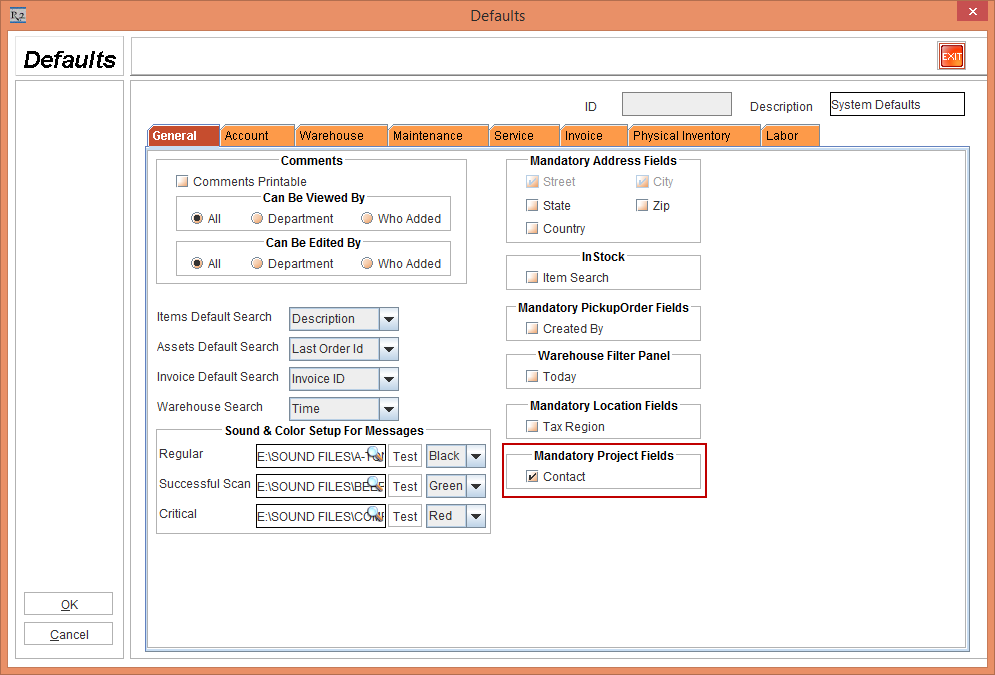
The Contact field in a Project can now be configured to either mandatory /non-mandatory field. You can either select or clear the Contact check box in the Mandatory Project Fields section of the General tab within the Maintenance module > Employee tab > Defaults Id importable field > System Defaults- Edit window > Defaults window, as shown in Figure 1.0.
If the Contact check box in the Mandatory Project Fields section of the System Defaults is selected, then the Contact field is set as a mandatory field in Project window. If not selected it is set as a non-mandatory field.
By default, the Contact check box in the Mandatory Project Fields section of the System Defaults will be as selected.