
Table of Contents
In the Lookup Tab, you can create a lookup for the selected Table/View Name and field. Lookup is used to associate data that is equivalent across business locations but may be represented in different ways. Therefore with Lookup you can associate one data requirement with is equivalent source.
Lookup values defined in configuration is used to filter the report.
To Add Lookups
-
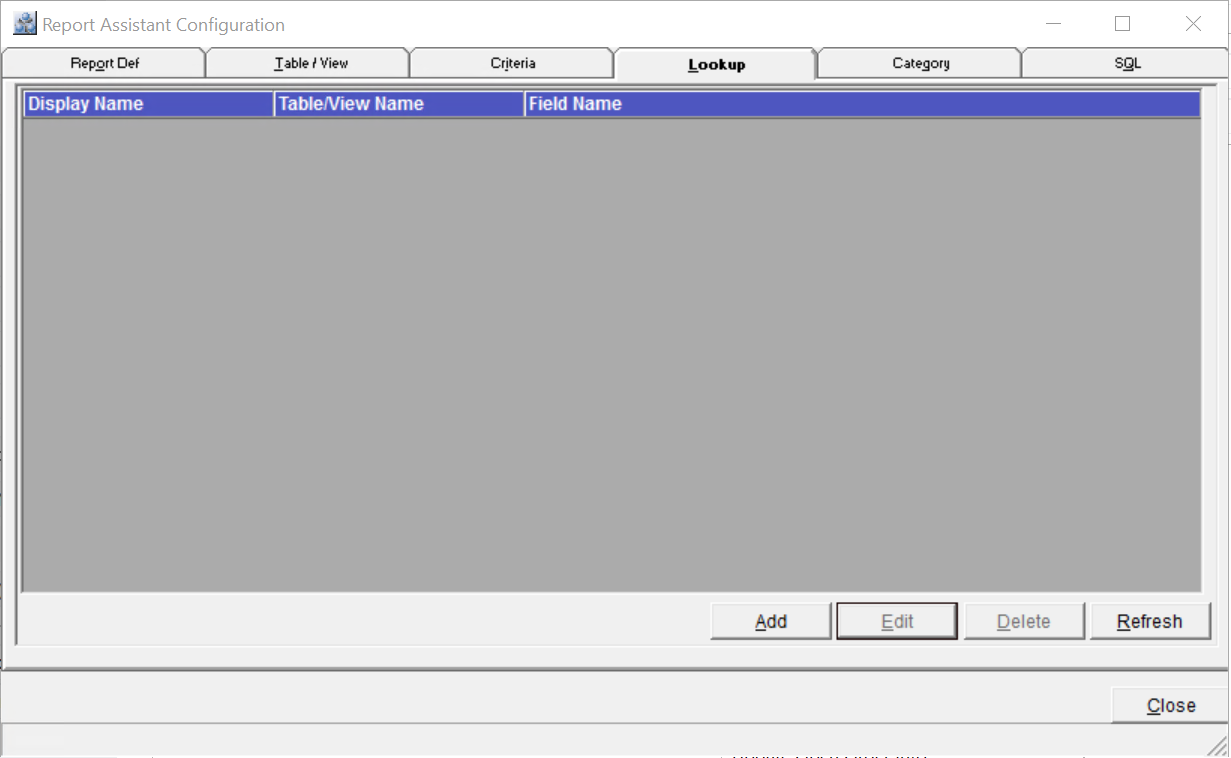
In the Report Assistant Configuration window, click on the Lookup Tab.
-
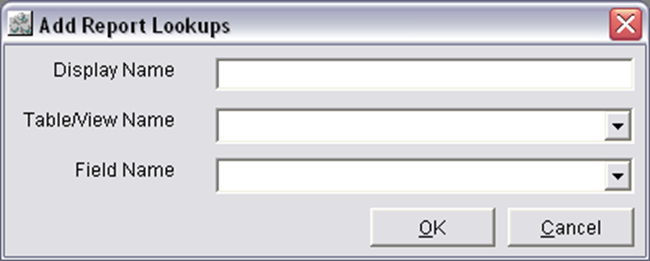
Click on the Add button to open the Add Report Lookups dialog.
-
Select a Table/View Name and a Field Name.
-
Define a display name in the Display field for the selected Table/View and the Field Name.
-
Select 'OK' to save else 'Cancel' to cancel the defined display name for the selected View and field.
To Edit Lookups
-
In the Report Assistant Configuration window, click on the Lookup Tab.
-
Select a display name in the grid which has to be edited.
-
Click on the Edit button to open the Edit Report Lookups dialog. Select a table/View Name and a Field Name from the respective drop down list.
-
Define a new display name in the Display Name field.
-
Select 'OK' to save the newly defined Display name else 'Cancel' to retain the earlier Display Name for the selected Table/View Name and the Field Name
Column Information of Lookup Tab
Display Name
Displays the display name for the selected Table/View Name and the Field name
Table/View Name
Displays the Table/View name selected for the Lookup.
Field Name
Displays the Field Name selected for the Lookup.
Buttons Information Of Lookup Tab
Add
On Clicking on the Add button, system displays the Add Report Lookups dialog, where you can select a Table/View name and a Field name and define a Display Name for it.
Edit
On Clicking on the Edit button, system displays the Edit Report Lookups dialog, where you can edit a Display Name for the selected Table/View name and the Field Name.
Delete
On selecting a Display Name in the grids and then on clicking on the delete button will delete the selected Display Name for the selected Table/View Name and the Field Name from the grids.
Refresh
On clicking on the Refresh button, system will refresh the window with the currently made changes.
Close
On clicking on the close button, the Report Assistant Configuration window will close.