
Table of Contents
In the Category tab, you can create a category to which various reports can be added. A category helps you group certain reports based on the characteristics and information derived from those reports or also based on the source of the Reports, for example if a category Invoice is created, all report definitions pertaining to the Invoice of an Order or all report definitions that provide information on Invoices can be added to the Invoice category.
Category plays a vital role as it helps user choose a report definition while generating reports.
To Create Category
-
In the Report Assistant Configuration window, click on the Category tab
-
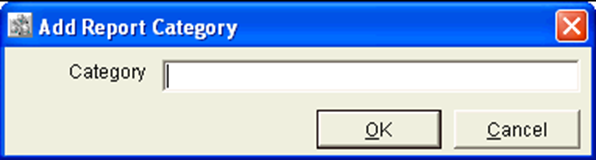
In the Category tab, click on the Add button to display the ‘Add Report Category’ dialog.
-
Define a name for the Category in the Category Field.
-
Select 'OK' to save the Category else 'Cancel' to cancel the Category.
To Edit Category
-
In the Report Assistant Configuration window, click on the Category tab.
-
Select a Category which has to be edited.
-
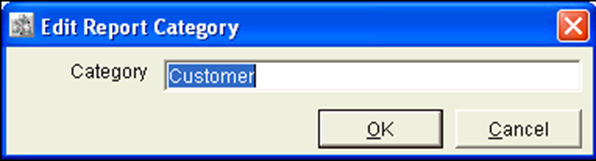
Click on the Edit button to display the 'Edit Report Category' dialog.
-
In the Edit Report Category Dialog, the selected category will be displayed.
-
Define a new category in the Category field.
-
Select 'OK' to save the newly defined Category else 'Cancel' to retain the earlier category.
Field Information Of the Category Tab
Category
The Category grids displays list of all the categories that are created.
Button Information Of the Category tab
Add
On Clicking on the 'Add' button the 'Add Report Category' dialog will be displays, where you can to add a Category for the Report.
Edit
On Clicking on the 'Edit' button the 'Edit Report Category' dialog will be displayed, where you can edit a Category for the Report.
Delete
On selecting a category in the category grid and then on clicking on the delete button will delete the category from the category list.
Refresh
On clicking on the Refresh button will refresh the window with the currently made changes.
Close
On clicking on the close button will close the whole Reports Assistant Configuration window.