
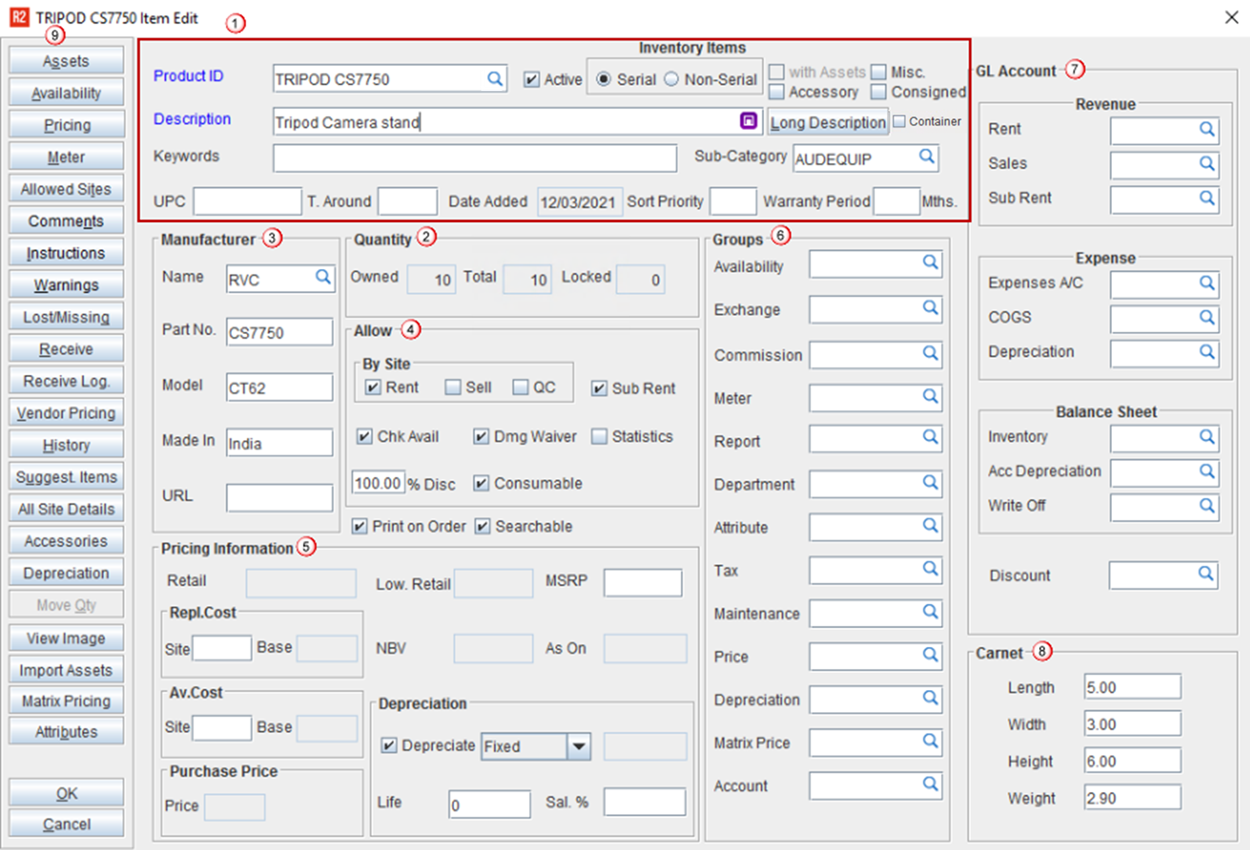
This window allows you to create an item by providing all the required details including manufacturer of the product and pricing information and many more.
-
General Information
-
Quantity
-
Manufacturer
-
Allow
-
Pricing Information
-
Groups
-
GL Accounts
-
Carnet
-
Additional Actions
General information
This section contains the basic details of the item like product id, description etc.,
|
Field |
Description |
|
Product ID |
The Product ID is automatically inserted based on the IDS defined for items, which can be edited if necessary. This is a mandatory field to save the item. However, you can also provide unique ID if required. You can also add 'Additional Product ID' by clicking the importable button. |
|
Import Assets |
User can import multiple assets of serial item to another item using this feature. More.. |
|
Matrix pricing |
If the item has Matrix Pricing applied, then the details mentioned in the Matrix Grid will get applied. |
|
Attributes |
|