Reference No: 29179
Details
The Remarks for the Version of an Order can now be entered. The details are explained in the sample workflow given below:
Prerequisites
-
Select the Maintenance module > Items tab > click the New icon.
-
Create a Serial Item [LG STAR] and [LG LSA] and receive 2 Qty.
Sample Workflow
-
Select the Account module. The Account window is displayed.
-
Tag a Company [LG].
-
Create a Rental Reservation Order [ORD-1069] for 2 days duration.
-
Add the Items [LG STAR] with the Qty as 1 and the Unit Price [300.00] to the Rental Reservation Order [ORD-1069].
-
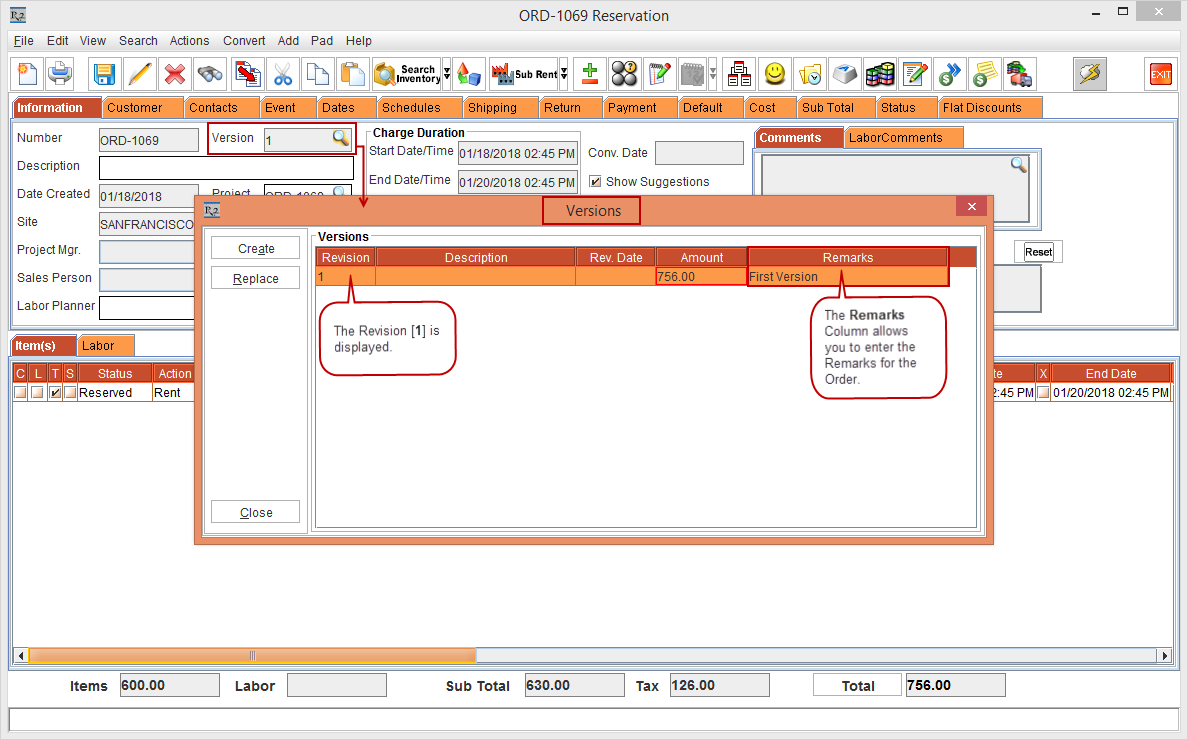
Click the Version importable button. The Versions window is displayed with the Revision [1], Amount [756.00] and the Remarks column. Perform a double-click on the Remarks column and enter the Remarks [First Version], as shown in Figure 1.0.
-
In the Versions window, select the Create button. The next Version [2] of the Rental Reservation Order [ORD-1069] is created.
-
Add another Item [LG LSA] with the Qty as 1 and the Unit Price [800.00] to the Rental Reservation Order [ORD-1069] Version [2].
-
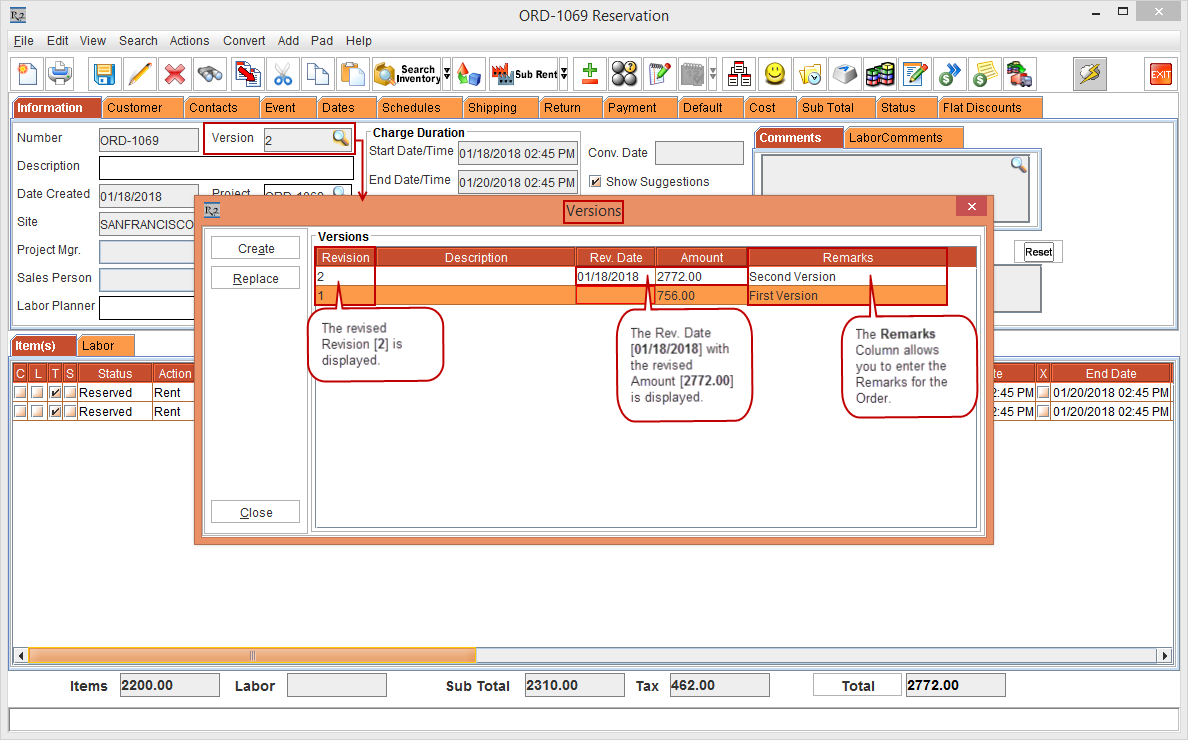
Click the Version importable button. The Versions window with the Older Revision [1] details and newer Revision [2] details including the revised order Amount [2772.00], Rev. Date [01/18/2018] and the Remarks column is displayed. Perform a double-click on the Remarks column and enter the Remarks [Second Version], as shown in Figure 1.1.