Reference No: R2-15313
Version No: 06.01.06-00
Details
Currently, when the user modifies the EWT of an Order, then the RT/OT/DT Hours and RT/OT/DT Rates gets updated in the Labor line based on the Pay Policy in R2 order.
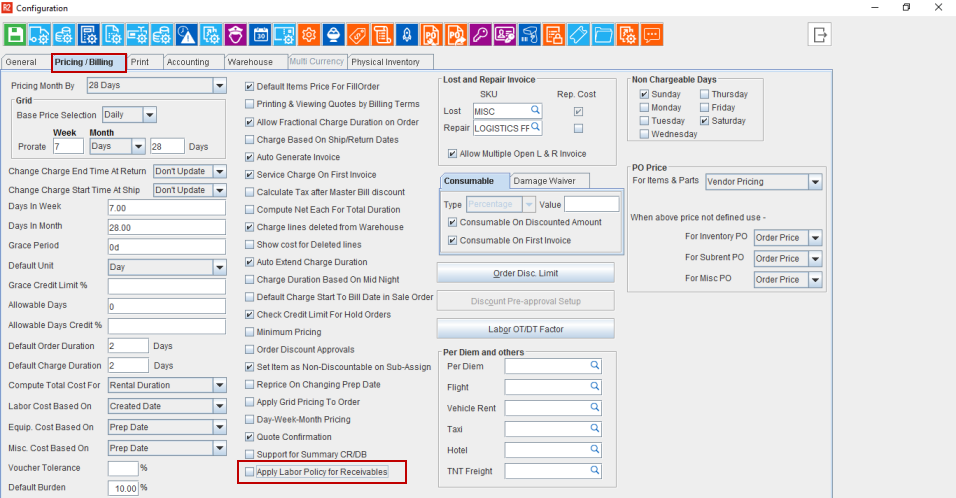
As per the enhancement, a checkbox is provided in Configuration Module> Pricing/Billing> Apply Labor Policy for Receivables will decide whether the RT/OT/DT should get updated in Labor line based on Pay Policy or not.
-
When the check box is selected, there is no change in the behavior of the system. For example, the RT/OT/DT hours gets updated in the Labor line based on the EWT modification/Task Change action.
-
By default, on upgrading, the checkbox will be set to True.
-
System does not alter any date on the existing orders on modifying this check box status.
-
When the checkbox is cleared, following are the functionality changes that takes place.
-
System does not carry RT/OT/DT Hours from EWT to the Labor line RT/OT/DT Hours.
-
System allows to overwrite RT/OT/DT Hours in Labor line irrespective of the EWT exists or not.
-
System does not carry the RT/OT/DT Hours from R2 Order Labor line to R2Labor Planning Order irrespective of the Resource Type.
-
In R2, whenever the Re-price action required, it works based on the Pricing definition and it does not consider the Pay Policy/Resource/Custom Unit.
-
RT/OT/DT Hours and RT/OT/DT Rates does not update/change automatically based on the modification in EWT/Pay Policy/Resource Type/Custom Unit.
-
Unit Rate/Site Unit Rate column in Labor grid is disabled.
-
Resource Type/Custom Unit/Unit Rate/Site Unit Rate columns in Labor grid will not affect RT/OT/DT Rates/Amount. Since these does not have relevance when configuration check box is cleared, it is advised to hide it through screen design.
-
When check box is cleared, system carries the Resource Type/Custom Unit information to R2 Labor accordingly Pay Policies will also be set on R2 Labor Booking Lines.
-
Pre-requisites
-
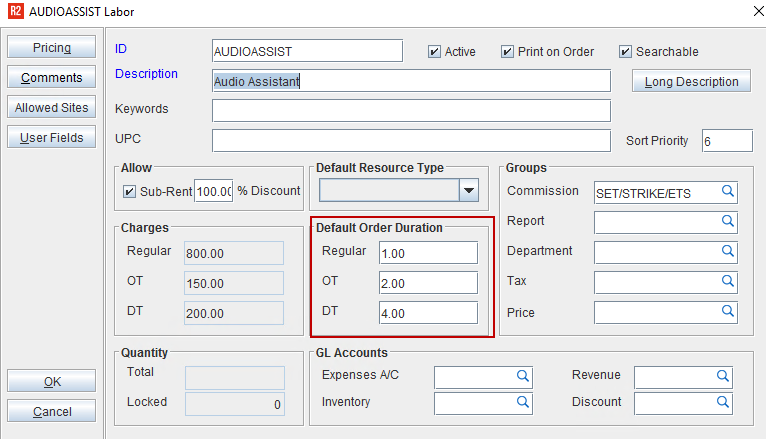
Create a Labor and add the Default Order Duration hours.
-
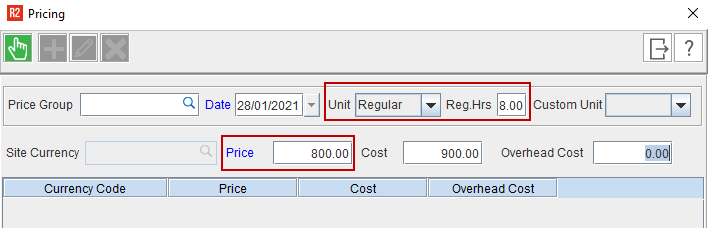
Add Regular, OT, and DT Price to the Labor.
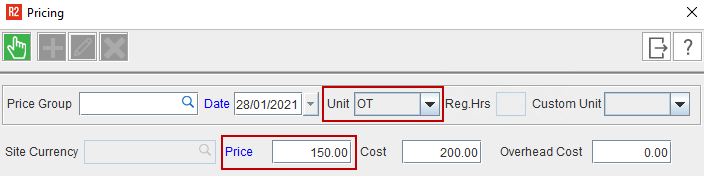
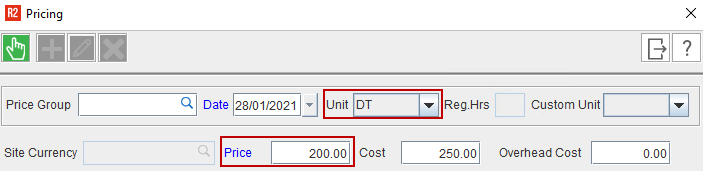
-
The Schedule details can be updated to Labor line in two ways as follows:
-
On performing Assign Dates. See Sample Workflow#1
-
On changing the Task of the Labor. See Sample Workflow#2
Sample Workflow#1: On performing Assign Dates
-
Create an Order in R2.
-
Add the created Labor Position. The Pricing and RT/OT/DT Hours and Rates populates based on the pre-defined data.
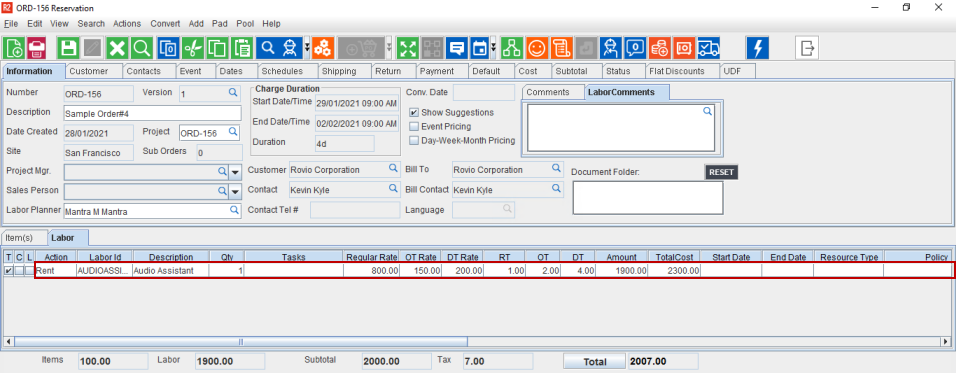
-
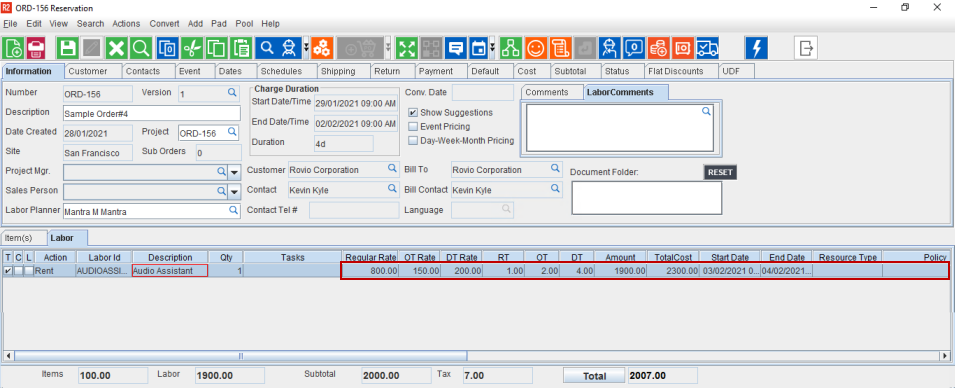
Assign the Dates to the Labor line and click OK.
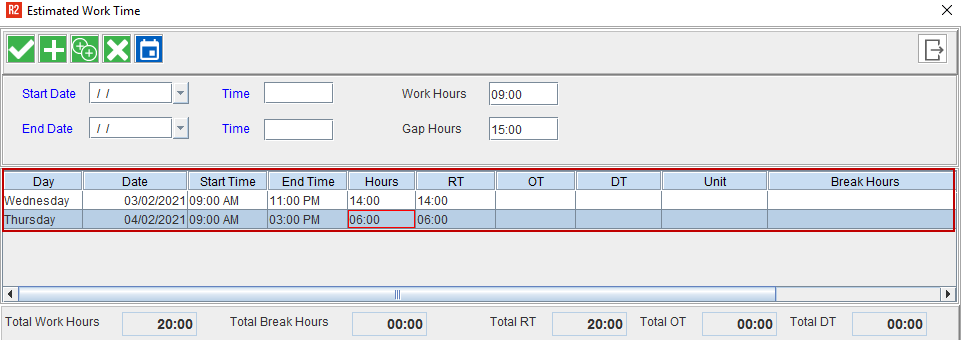
-
The EWT gets applied to the labor line. The RT/DT/OT Hours/Rates does not get modified based on the EWT details irrespective of Resource Type.
Sample Workflow#2: On performing Assign Dates
-
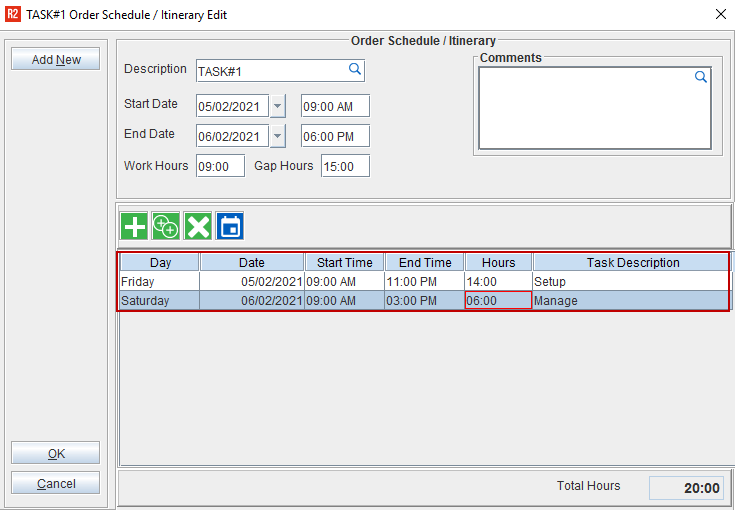
Go to Schedules tab> Click Add icon under order section> Create a Task.
-
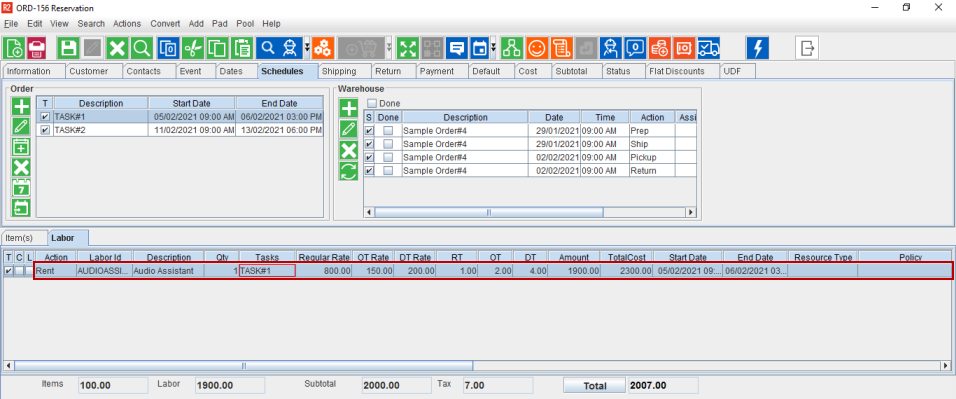
Add the created Task to the Labor line. The RT/DT/OT Hours/Rate does not get modified based on the Task and only the Dates gets changed.
-
Change the Task. Upon the Task change also, the RT/DT/OT Hours/Rate does not get modified based on the Task details and only the Dates gets changed.
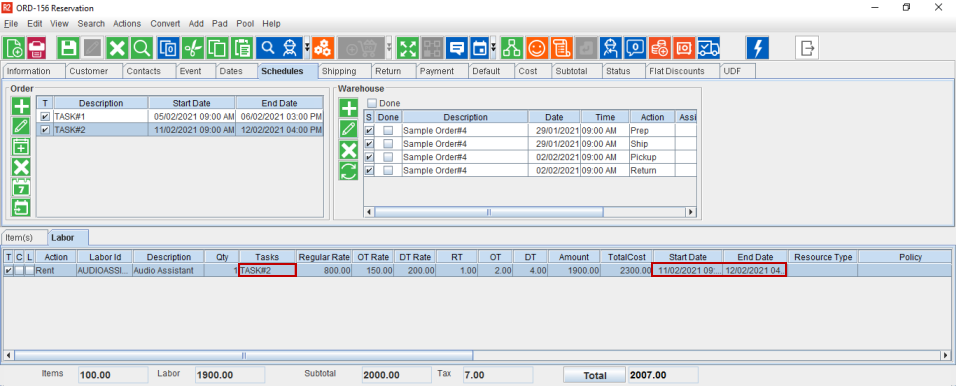
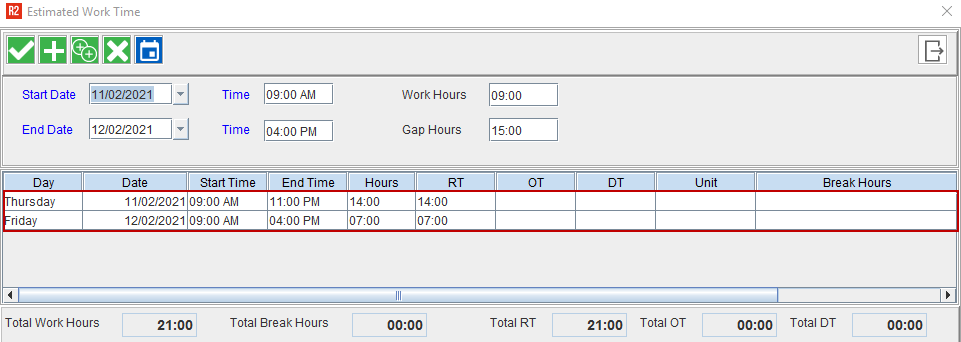
Based on the Dates change in the Labor line, the EWT dates get updated as shown below but the EWT RT/OT/DT hours populates based on the Pay Policy.