Content was last updated in 06.22.09-00
Revision History
Version No.
|
Reference No.
|
Changes
|
|
06.22.09-00 |
NA |
Refurbished the content for Employee in Maintenance Module |
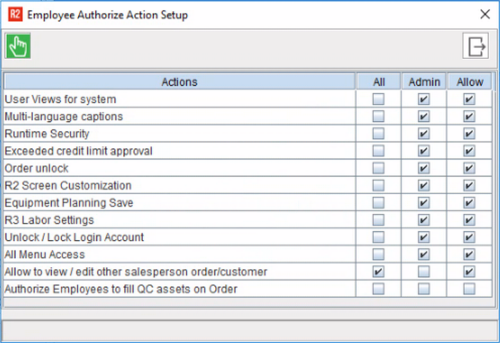
Anyone who has access privileges to Create a new employee or Edit an existing employee, can click on the 'Authorization' button on the 'Employee Edit' window, and modify the 'Employee Authorize Action Setup' settings.
Listed in this window are all the actions that are allowed to a user.
The administrator can select or clear the required checkbox to assign or revoke the ability to perform these actions.