
Events are activities like conventions, conferences and exhibitions in which multiple customers may participate. R2 allows you to store Event information such as dates, times and locations.
The event tab will be displayed as disable in Room Order view.
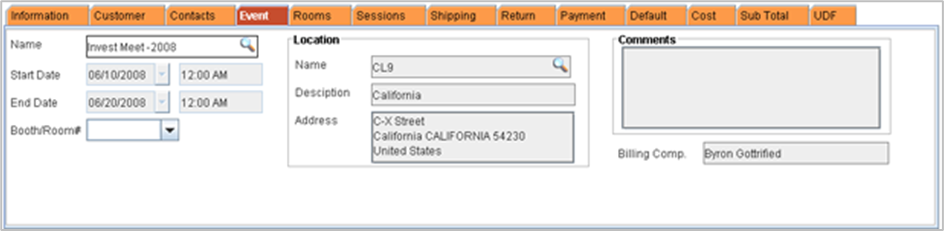
Selecting or changing the Event associated with an Order
-
From an Order window, select the Event tab.
-
The Event tab shows the event Name, Location, Start Date, End Date, Booth No. (number), Organizer and any Comments about the event.
-
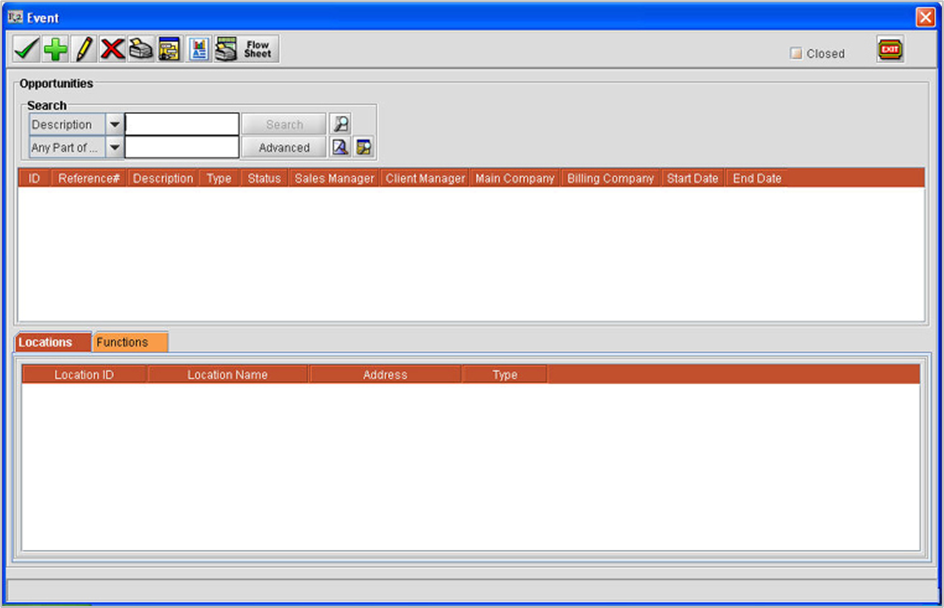
Click on the importable button next to the Name field. This opens the Events dialog from which you can select an event or add a new event.
-
Click on the Search button by entering the search criteria.
-
A list of all Events matching the search criteria will be displayed in the Event dialog.
-
Click on the Event you wish to associate with the Order.
-
This highlights the Event record. Any Locations available for the highlighted Event will appear in the Event Locations area in the lower portion of the dialog. If multiple Event Locations are available for the selected Event, highlight the desired Location before clicking on the Tag button. The Location information selected here will be inserted in the Event tab. If no selection is made for the location, R2 inserts the first location in the Event tab.
-
Click on the Tag-Ok icon . You can also select an event by double clicking on the desired event. This tags the Event (and Location) to the Order.
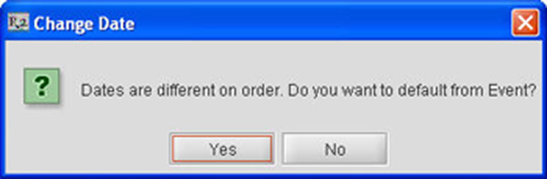
While tagging an Event If the Event dates are different from the Order dates, R2 will display prompt for changing the dates. Select "Yes" to change the dates, "No" to retain the existing dates.
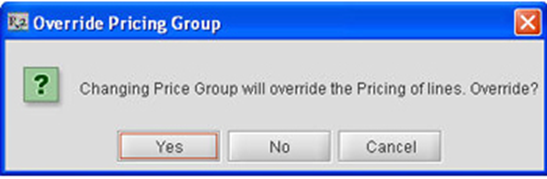
While Tagging an Event If the Event Price groups are different from the Price groups (Item,Labor) on the order, R2 will prompt to change the price groups. Select "Yes" to change the dates, "No" to retain the price group selection.
-
Click on OK. This closes the Events search dialog and returns you to the order window where the event information is now displayed.