Reference No: R2-15233
Version No: 06.01.05-00
Details
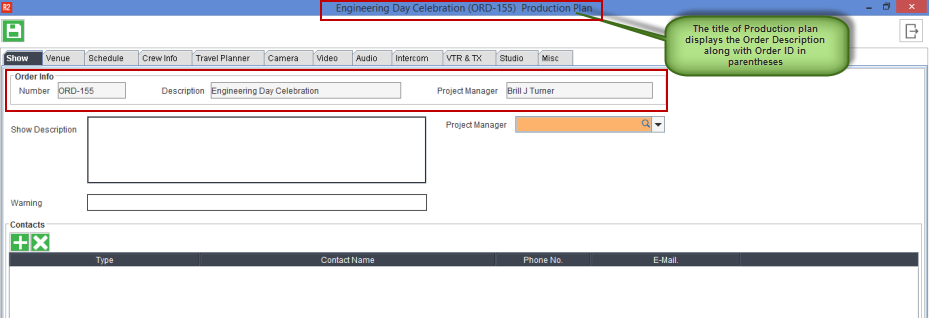
Additional read-only fields are added under the show tab in the Production Plan to display the Order information.
Following are the read-only fields about the Order that displays under the Order Info section
-
Order Number
-
Order Description
-
Project Manager
Sample Workflow
-
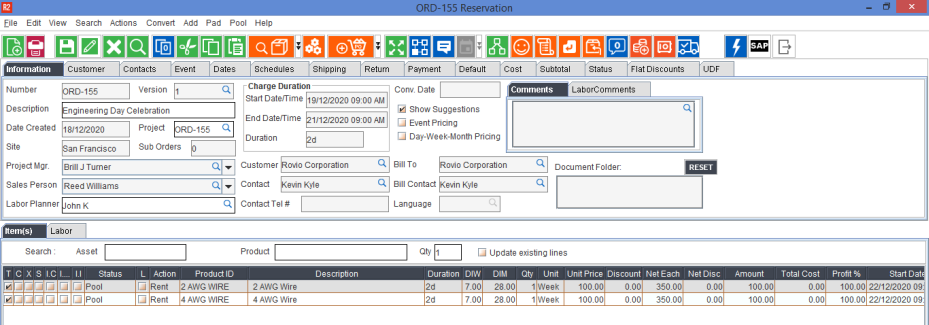
Create an Order in R2.
-
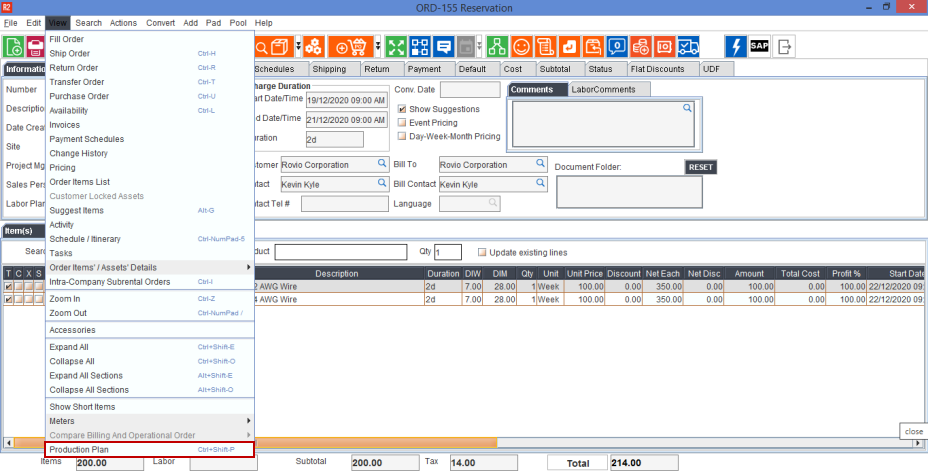
In the Order window, click View > select Production Plan.
-
A Dialog box displays stating, 'Production Plan doesn't exists for this order. Do you want to create one?', Click Yes to proceed to create one.
-
The title of the Production Plan window displays the Order Description along with the Order ID in Parentheses and the additional read-only fields about the Order displays under the Order Info section as shown below.