
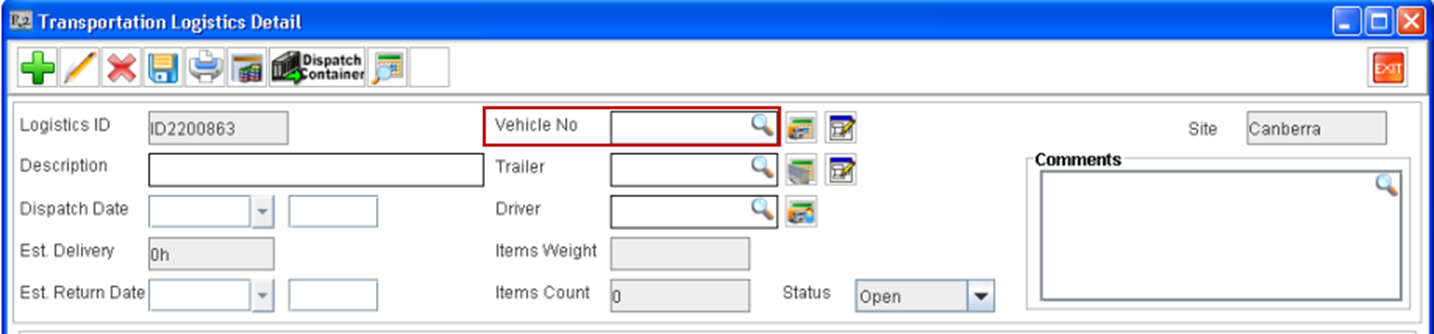
Before tagging a Vehicle to a Logistics Schedule, the user needs to define a Vehicle resource with the details of the vehicle. This can be done from the Vehicles Dialog box, which will be displayed on clicking on the import button present in the Vehicle No field available in the Logistics Detail window.
To Define New Vehicle Resource
-
Access Logistics Detail window of Transportation Module.(This can be done either by editing or creating a new Logistics Schedule).
-
Click on the importable button present in the Vehicle No Field.
-
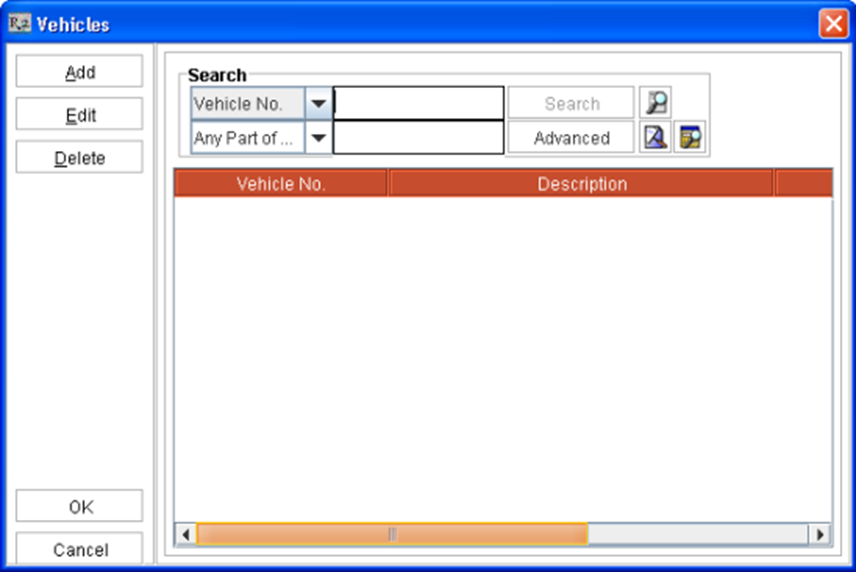
System will display the Vehicles dialog box, wherein you Add,Edit and Search for Vehicle definitions.
-
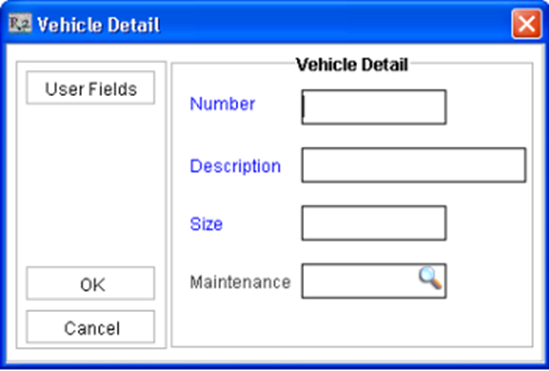
Click Add to display the Vehicle Detail dialog box.
-
Enter the value for Number, Description and Size fields.
On tagging a Vehicle to a Transportation Logistics Schedule, system will display the value entered in the Number field in the Logistics Detail window.
-
Click on the Import button present in the Maintenance Group field, to select and tag the Vehicle definition to a Maintenance Group.
-
Click on the User Fields button, do display the dialog box with the User Fields defined , wherein you can enter the value for the same. See also User Fields in Transportation Logistics.
To Edit Vehicle Resource Details
-
From the Transportation Details dialog box, Click on the import button next to the Vehicle field
-
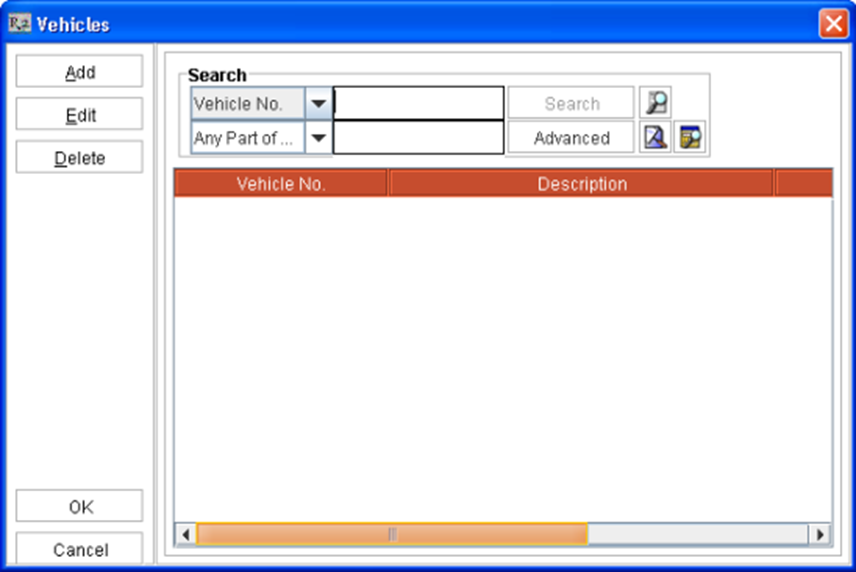
R2 will display the Vehicles dialog box.
-
Search for the Vehicle resource,which has to be edited.
-
Highlight the information, click Edit
-
Update the details in Vehicle Detail dialog box.
-
Click OK, the updated Vehicle detail information will be displayed in the Vehicles dialog box.
Tagging a Vehicle to a Logistic Schedule
The user can tag Vehicle to a Logistics Schedule either from the Vehicles dialog which can be invoked by clicking on the import button present in the Vehicle field or by directly keying-in the Vehicle ID in the Vehicle field.
-
On keying-in a value in the Vehicle field, system will tag the Vehicle ID, if an exact match is found in the Vehicle Master table.