
Details
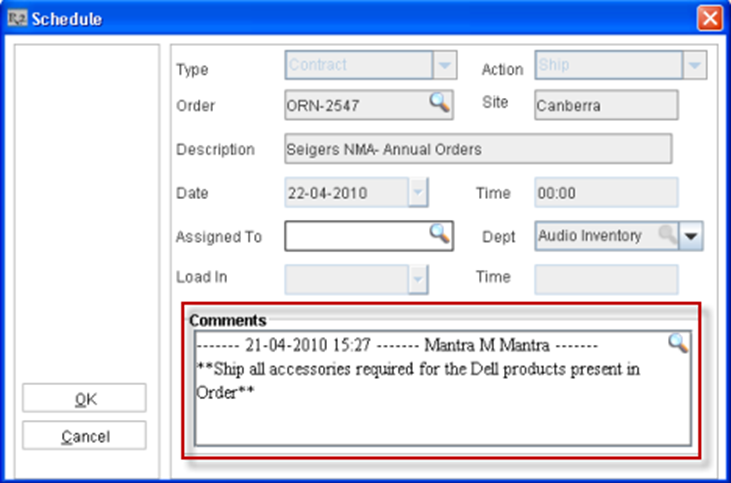
Comments entered for a Warehouse Schedule in Schedule Edit window can be viewed from different locations in Transportation Logistics as explained below:
Viewing Schedule comments in Transportation Logistics Main Window
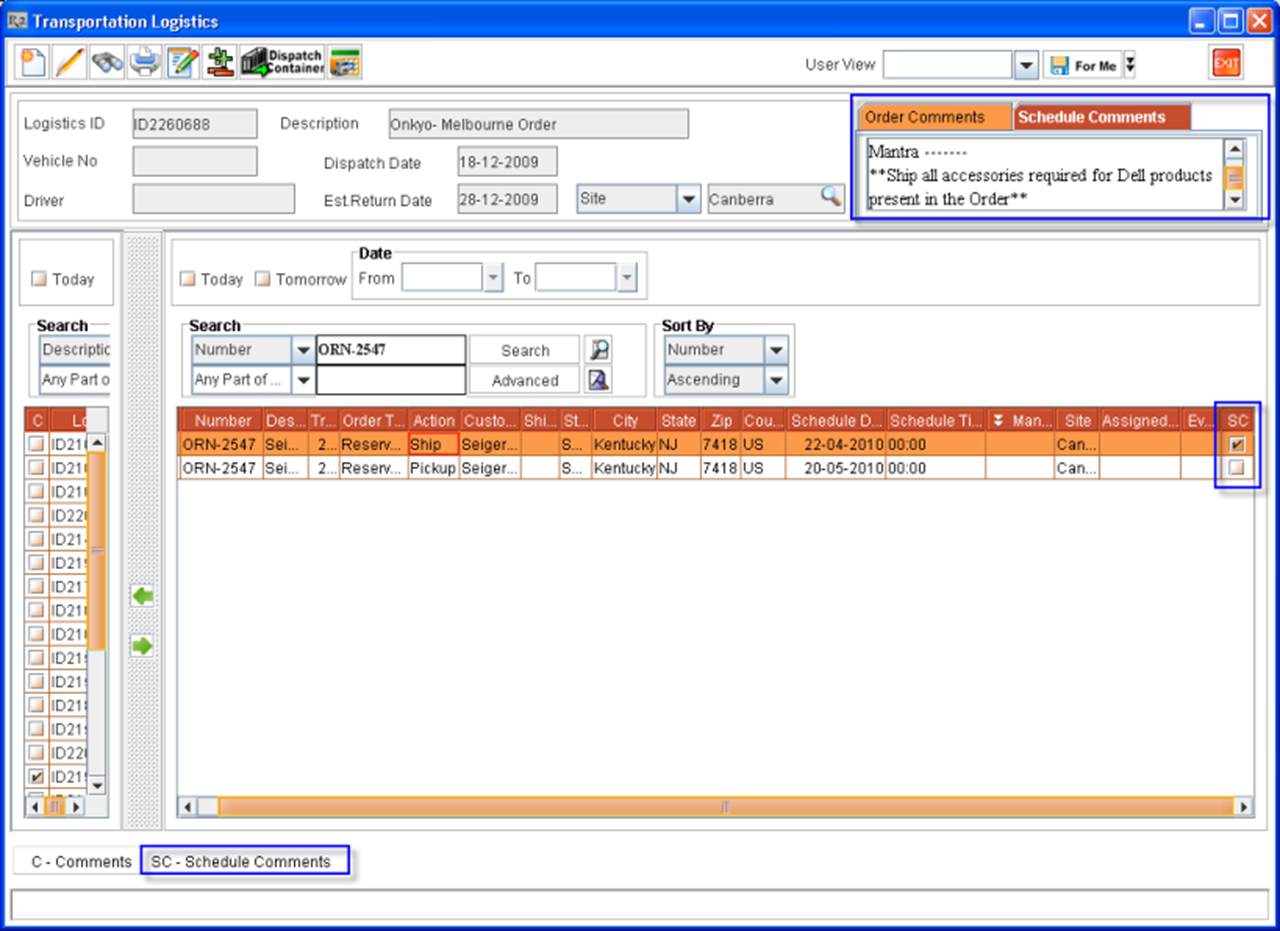
The comments entered for a Warehouse Schedule can be viewed in the Transportation Logistic Main window in the Schedule Comments tab which will be provided (Refer Figure 1.1). Warehouse Schedules having Schedule comments can be identified using the 'SC' column present in the Warehouse Schedule section as shown in Figure 1.1.
-
If the check box in the 'SC' column is selected, it indicates that Schedule Comments are defined for that particular Warehouse Schedule.
-
If the 'SC' column is not selected then it indicates that the particular Schedule has no Schedule comments defined.
-
On selecting a Warehouse Schedule which has Schedule Comments defined, system will display the comments defined for the selected Schedule in the Schedule Comments tab as shown in Figure 1.1 above. This is a read only and user will not be allowed to edit the comments.
-
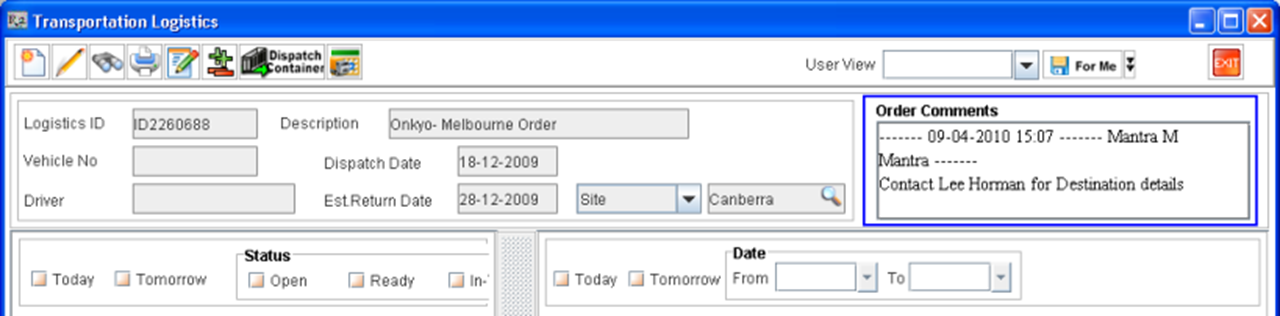
In version prior to 05.02.02-00, in R2 the Order Header comments of the selected Warehouse Schedule was displayed in the Order Comments field which was present in the Transportation Logistics Main window header as shown in Figure 1.2.
-
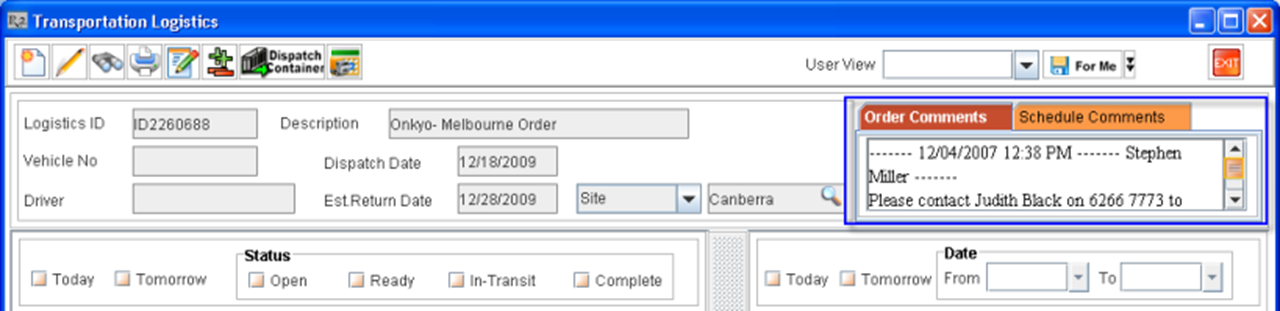
From version 05.02.02-00 onwards, on implementation of Schedule Comments enhancement, on selecting a Warehouse Schedule which has Order Header comments defined, the Order Comments tab will continue to display the comments defined in the Order header of the selected schedule, as shown in Figure 1.3.
Viewing Schedule comments in Warehouse Schedules window opened through Transportation Logistics Detail window
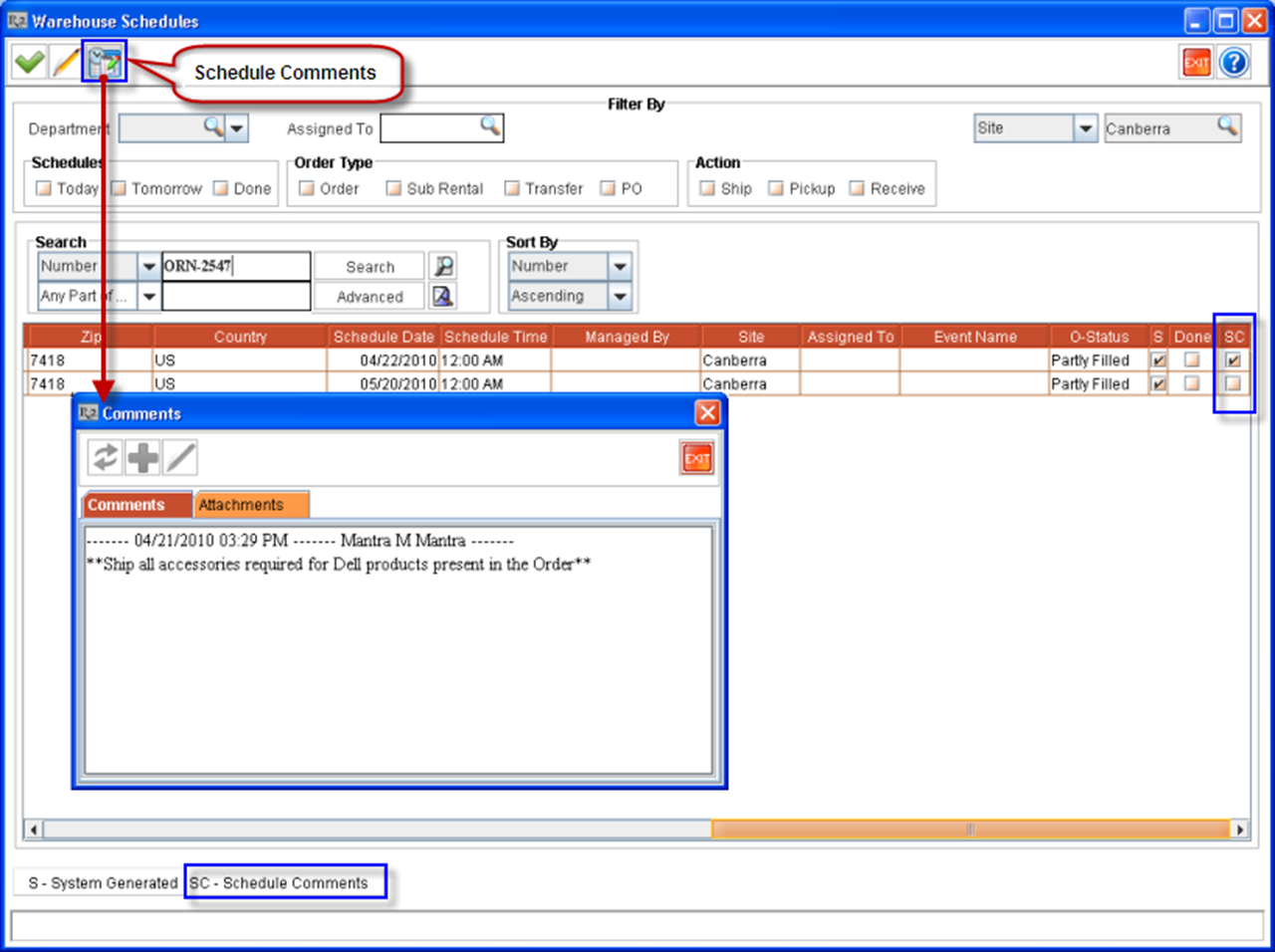
In Warehouse Schedules window opened through Transportation Logistics Detail, the comments entered for a Warehouse Schedule can be viewed by selecting a Schedule which has Schedule comments defined and by clicking on the Schedule Comments icon 
-
If the check box in the 'SC' column is selected, it indicates that Schedule comments are defined for the Warehouse Schedule. If 'SC' is not selected then system indicates that the Schedule comments are not defined for that particular Schedule.
-
The Comments dialog which is displayed on clicking the Schedule Comments icon