
Details
In Transportation Logistics Module, you can view the Orders of warehouse schedules added to Transportation Logistics Schedules and also for the Warehouse schedules which are displayed in the Warehouse Tasks section. Orders of warehouse schedules can be viewed in read-only mode, by selecting the respective Show Order option from within Transportation Logistics Window, Transportation Logistics Detail Window and Warehouse Schedule window.
Viewing Orders of Warehouse Schedules from within Transportation Logistics Main Window
From within the Transportation Logistics Main window, you can view the orders of Warehouse schedules which are added to a logistics schedule and also for the warehouse schedules which are listed in the Warehouse tasks section (Right-hand side section). Refer below illustrations for more information.
Steps To view order of warehouse schedules added to Transportation Logistics Schedule
-
Highlight the Order Schedule in Transportation Logistics Schedule section for which the order has to be viewed in read-only mode and use any one of the following methods.
-
Click the drop-down button present beside the Show Warehouse Schedule Order icon in the tool bar and then select the Show Logistics Schedule Order option as shown in Figure 1.0.
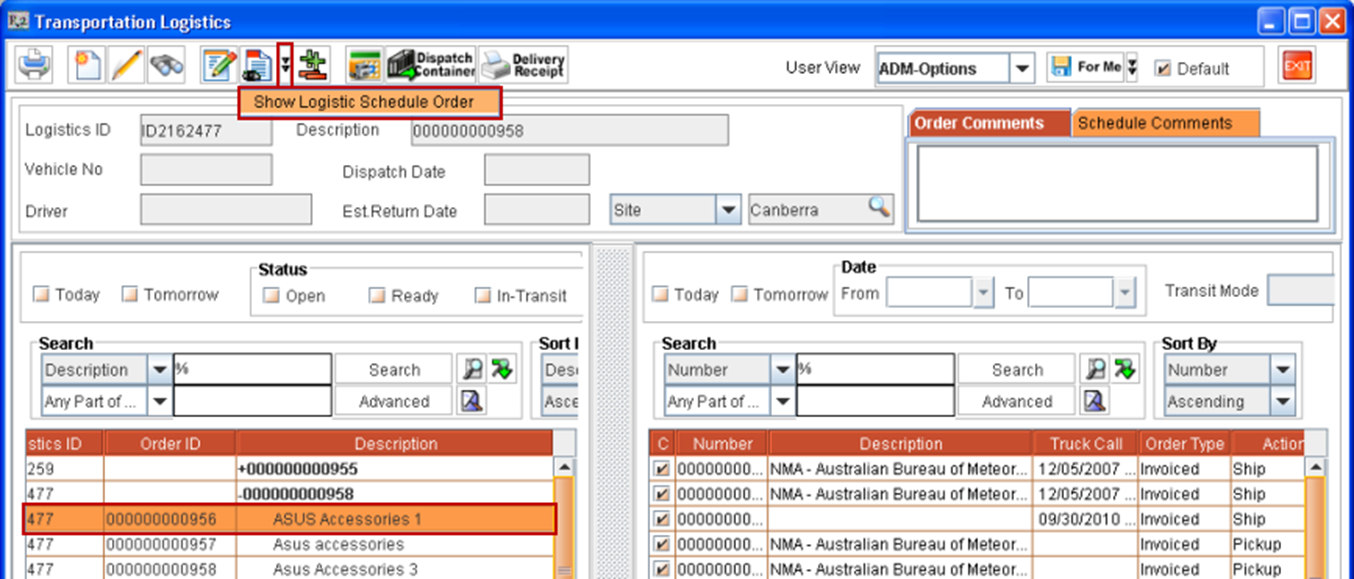
Figure 1.0 -
Select the Show Order option from right-click menu on the highlighted order schedule as shown in Figure 1.1.
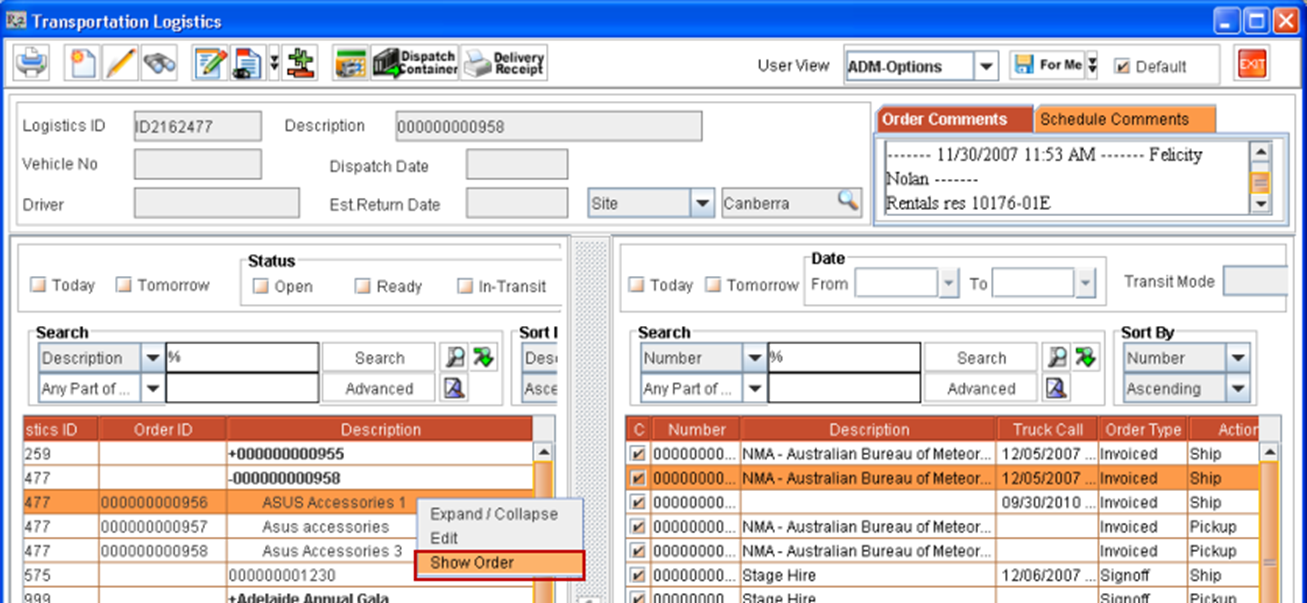
Figure 1.1 -
Use the Hot Key "ALT+SHIFT+L"
-
-
System will display the order in read-only mode for the selected order schedule.
Steps To view order of warehouse schedules listed in Warehouse Tasks section
-
Highlight the order schedule in Warehouse Schedules section for which the order has to be viewed in read-only mode and use any one of the following methods.
-
Click Show Order from Warehouse Schedule icon present in the tool bar as shown in Figure 1.2.
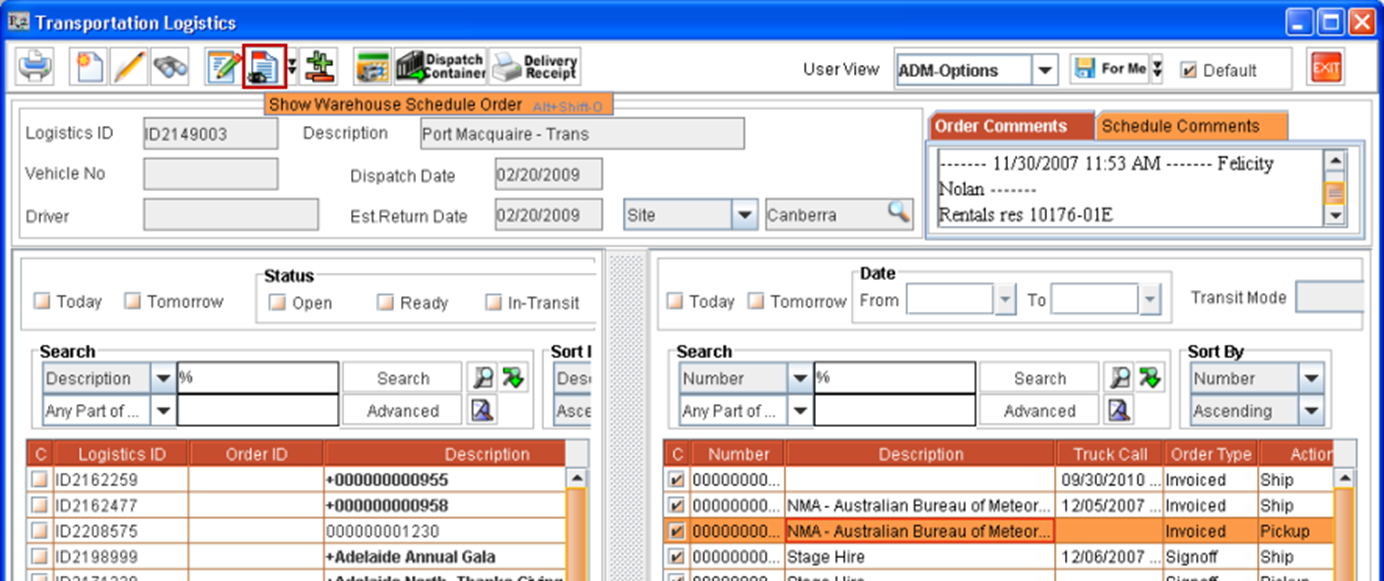
Figure 1.2 -
Select the Show Order option from right-click menu on the highlighted order schedule as shown in Figure 1.3.
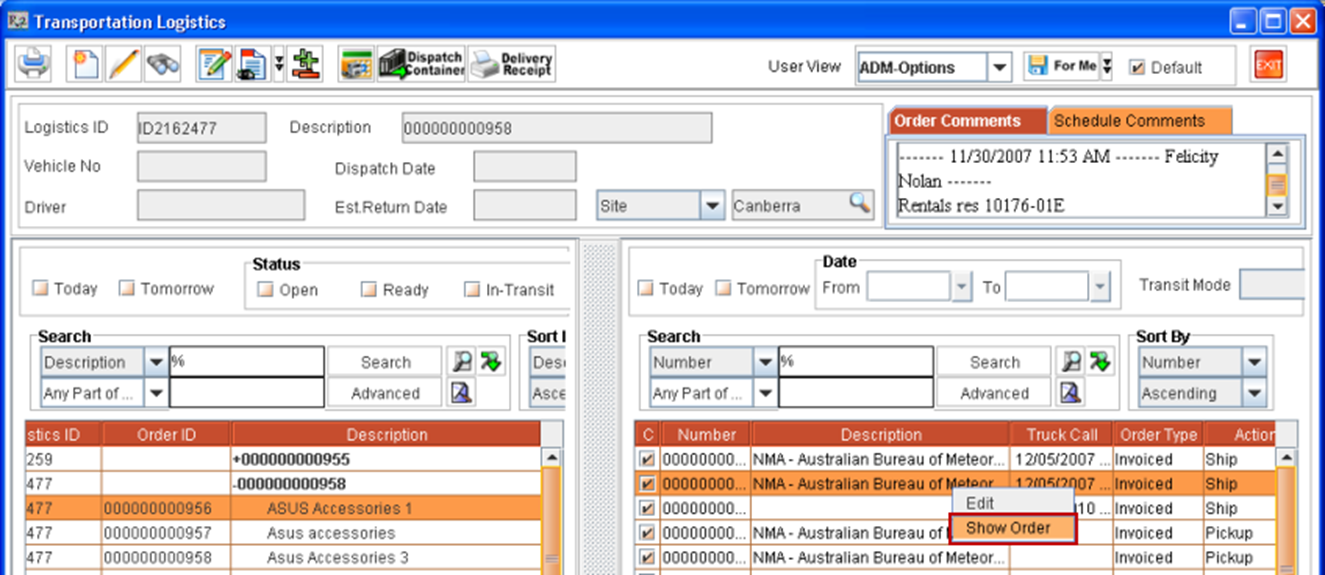
Figure 1.3 -
Use the Hot Key "ALT+SHIFT+O".
-
-
System will display the order window in read-only mode for the selected order line.
Viewing Orders of Warehouse Schedules from within Logistics Detail Window
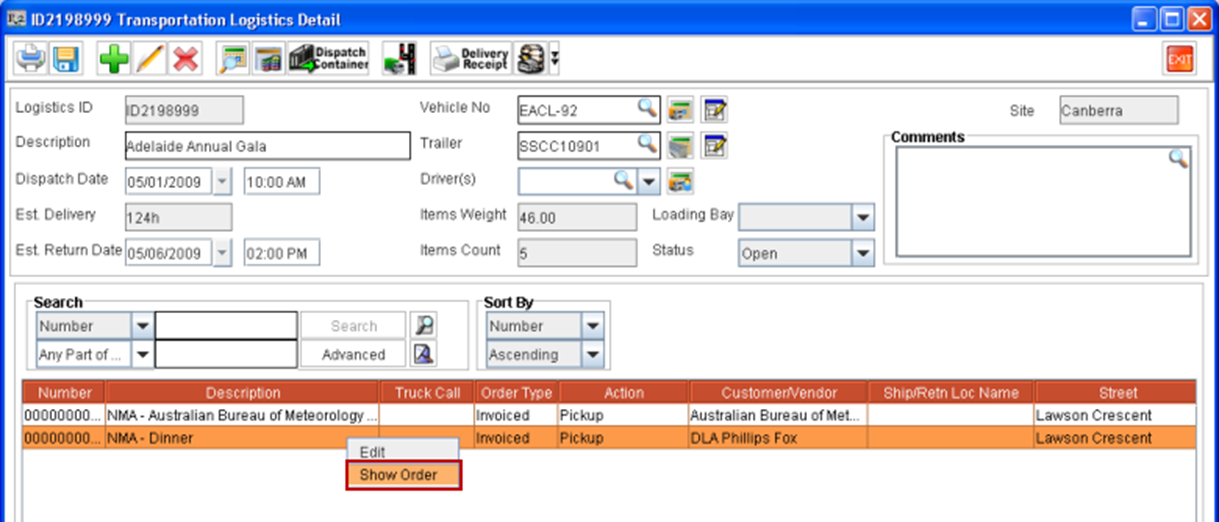
From within the Logistics Detail window, you can view the orders of the warehouse schedules which are present in the opened logistics schedule, by highlighting the order line and following selecting the right-click option Show Order as shown in Figure 1.4.
Viewing Orders of Warehouse Schedules listed in Warehouse Schedules window
-
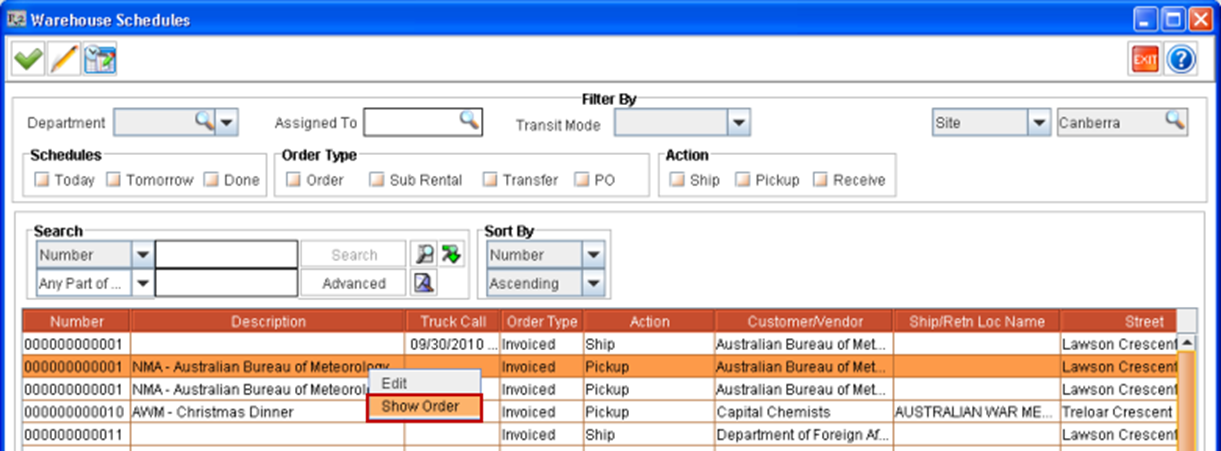
From within Warehouse Schedules window, which will be displayed on clicking Add icon from within Transportation Logistics Detail window, you can view the order of Warehouse schedule, by highlighting a schedule and following selecting the right-click option Show Order as shown in Figure 1.5.
Security for all the above mentioned Show Order options are independent and on applying security for one Show Order option will not impact the applied security of the other Show Order option.
For more information on Viewing Orders from Transportation Logistics module window click here.